> ## Documentation Index
> Fetch the complete documentation index at: https://help.4thewords.com/llms.txt
> Use this file to discover all available pages before exploring further.
# Plans & Pricing
> Compare Free, Member, Pro, and Lifetime Pro plans, manage your subscription, and view billing history.
## Overview
4thewords is free to play.
You can write, battle, and explore with a free account. Upgrading to a **Member**, **Pro**, or **Lifetime Pro** plan unlocks higher limits, monthly perks, and full access to special events.
> **Where to find it:** Left sidebar → **Account** → **Subscription** [Open in 4TW ↗](https://app.4thewords.com/account/subscription)
 ## Choosing a Plan
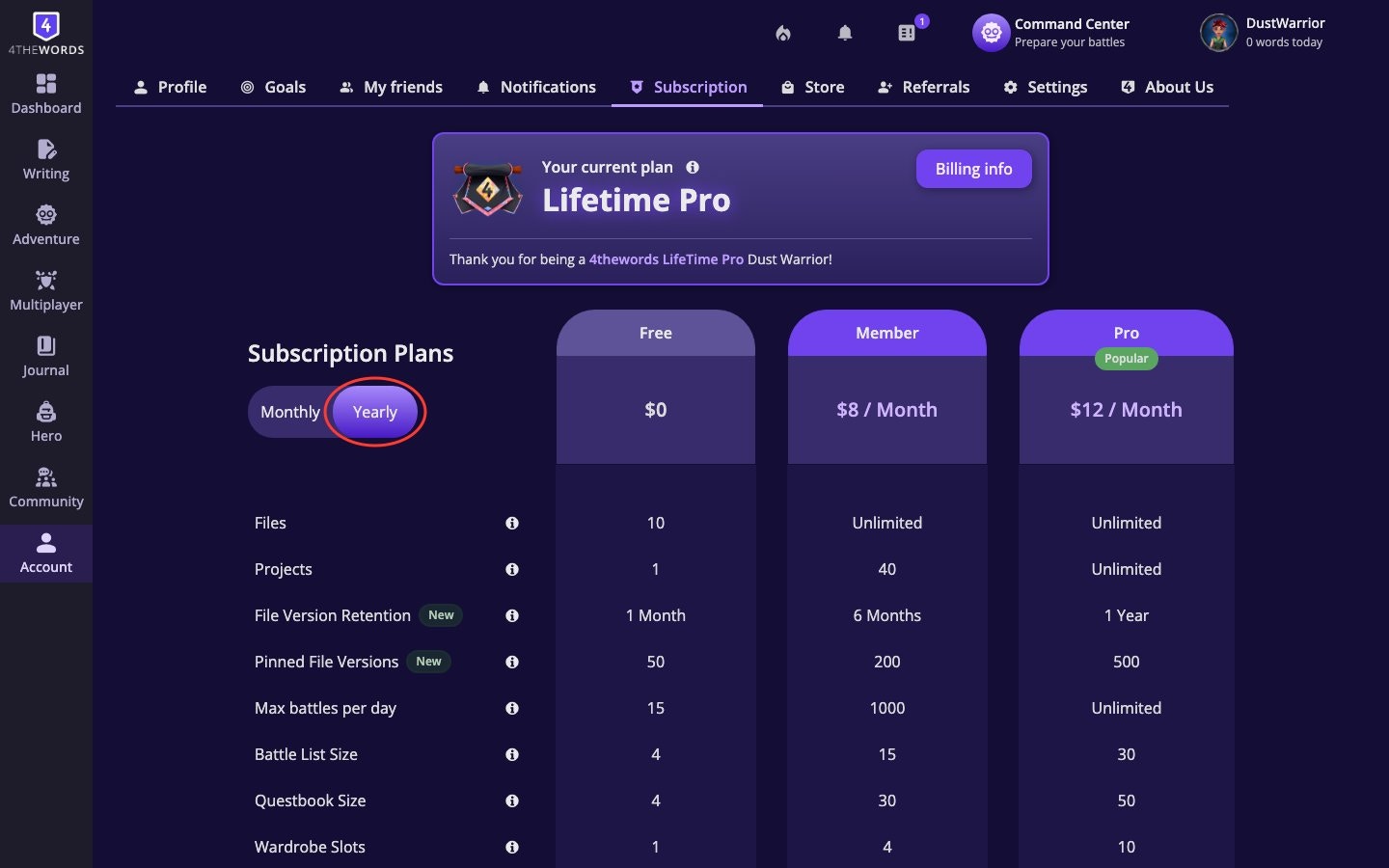
1. Open **Account** in the left sidebar, then choose **Subscription**.
2. You'll see a comparison table with the plans: **Free**, **Member**, **Pro**.
3. Use the **Monthly** / **Yearly** toggle at the top to switch between billing frequencies. Yearly pricing is discounted.
4. Review what each plan includes.
**At a glance, what each plan unlocks:**
| Feature | Free | Member | Pro | Lifetime Pro |
| ---------------------- | ------- | --------- | --------- | ------------ |
| Writing files | 25 | Unlimited | Unlimited | Unlimited |
| Projects | 2 | 40 | Unlimited | Unlimited |
| File version retention | 30 days | 6 months | 1 year | 3 years |
| Pinned file versions | 50 | 200 | 500 | 1,000 |
| Battles per day | 25 | 1,000 | Unlimited | Unlimited |
| Battle list size | 8 | 15 | 30 | 30 |
| Questbook size | 8 | 30 | 50 | 50 |
| Wardrobe slots | 1 | 4 | 10 | 10 |
| Map slots | 0 | 3 | 10 | 10 |
| Streak saving | - | ✓ | ✓ | ✓ |
| Monthly Stempos | - | - | 10 | 10 |
| Monthly Crystals | - | - | 10 | 10 |
| Monthly reactions | - | - | 100+ | 100+ |
| Monthly consumables | - | - | ✓ | ✓ |
| Full event access | Limited | ✓ | ✓ | ✓ |
| Event bonus perks | - | - | ✓ | ✓ |
Please note these are subject to change. Check our Pricing & Subscription pages for up to date information.
[**Pro-exclusive event perks**](/adventure/special-events) (each new special event):
* **100 extra Tokens** on the first day of every event
* **1 exclusive Pro item** made just for Pro members
* **5 extra days** to complete the event after it officially closes
* **Early access**: enter the event before other players
## Upgrading Your Plan
1. **Choose a plan.** On the **Subscription** page, click **Upgrade** on the plan you want.
2. **Complete checkout:**
* **Details**: confirm what you're purchasing
* **Method**: choose PayPal or credit card
* **Confirm**: review and submit
3. **Payment confirmed.** You'll land on a **"Thank You!"** screen with your purchase details.
4. **Plan activates immediately.** Refresh the page if your new benefits aren't showing yet.
**Payment methods supported:** PayPal and credit card (Visa, Mastercard, and others).
## Managing Your Subscription
> **Where to find it:** Left sidebar → **Account** → **Subscription** [Open in 4TW ↗](https://app.4thewords.com/account/subscription)
Your current plan is always shown at the top of the page with a **Current Plan** badge.
## Choosing a Plan
1. Open **Account** in the left sidebar, then choose **Subscription**.
2. You'll see a comparison table with the plans: **Free**, **Member**, **Pro**.
3. Use the **Monthly** / **Yearly** toggle at the top to switch between billing frequencies. Yearly pricing is discounted.
4. Review what each plan includes.
**At a glance, what each plan unlocks:**
| Feature | Free | Member | Pro | Lifetime Pro |
| ---------------------- | ------- | --------- | --------- | ------------ |
| Writing files | 25 | Unlimited | Unlimited | Unlimited |
| Projects | 2 | 40 | Unlimited | Unlimited |
| File version retention | 30 days | 6 months | 1 year | 3 years |
| Pinned file versions | 50 | 200 | 500 | 1,000 |
| Battles per day | 25 | 1,000 | Unlimited | Unlimited |
| Battle list size | 8 | 15 | 30 | 30 |
| Questbook size | 8 | 30 | 50 | 50 |
| Wardrobe slots | 1 | 4 | 10 | 10 |
| Map slots | 0 | 3 | 10 | 10 |
| Streak saving | - | ✓ | ✓ | ✓ |
| Monthly Stempos | - | - | 10 | 10 |
| Monthly Crystals | - | - | 10 | 10 |
| Monthly reactions | - | - | 100+ | 100+ |
| Monthly consumables | - | - | ✓ | ✓ |
| Full event access | Limited | ✓ | ✓ | ✓ |
| Event bonus perks | - | - | ✓ | ✓ |
Please note these are subject to change. Check our Pricing & Subscription pages for up to date information.
[**Pro-exclusive event perks**](/adventure/special-events) (each new special event):
* **100 extra Tokens** on the first day of every event
* **1 exclusive Pro item** made just for Pro members
* **5 extra days** to complete the event after it officially closes
* **Early access**: enter the event before other players
## Upgrading Your Plan
1. **Choose a plan.** On the **Subscription** page, click **Upgrade** on the plan you want.
2. **Complete checkout:**
* **Details**: confirm what you're purchasing
* **Method**: choose PayPal or credit card
* **Confirm**: review and submit
3. **Payment confirmed.** You'll land on a **"Thank You!"** screen with your purchase details.
4. **Plan activates immediately.** Refresh the page if your new benefits aren't showing yet.
**Payment methods supported:** PayPal and credit card (Visa, Mastercard, and others).
## Managing Your Subscription
> **Where to find it:** Left sidebar → **Account** → **Subscription** [Open in 4TW ↗](https://app.4thewords.com/account/subscription)
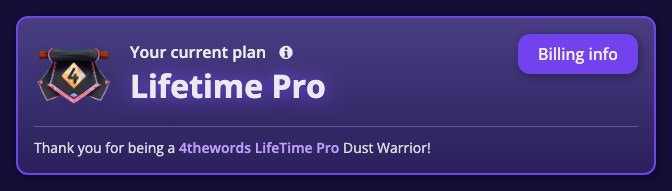
Your current plan is always shown at the top of the page with a **Current Plan** badge.
 **Cancelling your plan:**
1. **Click Cancel plan** on the Subscription page.
2. **Access continues** until the end of your current paid period. You're not cut off immediately.
3. **Changed your mind?** The button changes to **Renew Plan**. Click it any time before expiry to reactivate.
**After cancellation:** You'll see a message that reads: *"Your subscription has been canceled and will not renew at the end of the current billing period. You will continue to have access to your subscription benefits until expiration date."*
**Reactivating:** Click **Renew Plan** on the Subscription page. If your plan has already expired, clicking **Renew Plan** takes you back through the checkout flow to choose a new plan.
## Billing History
> **Where to find it:** Left sidebar → **Account** → **Subscription** → **Billing info** [Open in 4TW ↗](https://app.4thewords.com/account/subscription)
**Cancelling your plan:**
1. **Click Cancel plan** on the Subscription page.
2. **Access continues** until the end of your current paid period. You're not cut off immediately.
3. **Changed your mind?** The button changes to **Renew Plan**. Click it any time before expiry to reactivate.
**After cancellation:** You'll see a message that reads: *"Your subscription has been canceled and will not renew at the end of the current billing period. You will continue to have access to your subscription benefits until expiration date."*
**Reactivating:** Click **Renew Plan** on the Subscription page. If your plan has already expired, clicking **Renew Plan** takes you back through the checkout flow to choose a new plan.
## Billing History
> **Where to find it:** Left sidebar → **Account** → **Subscription** → **Billing info** [Open in 4TW ↗](https://app.4thewords.com/account/subscription)
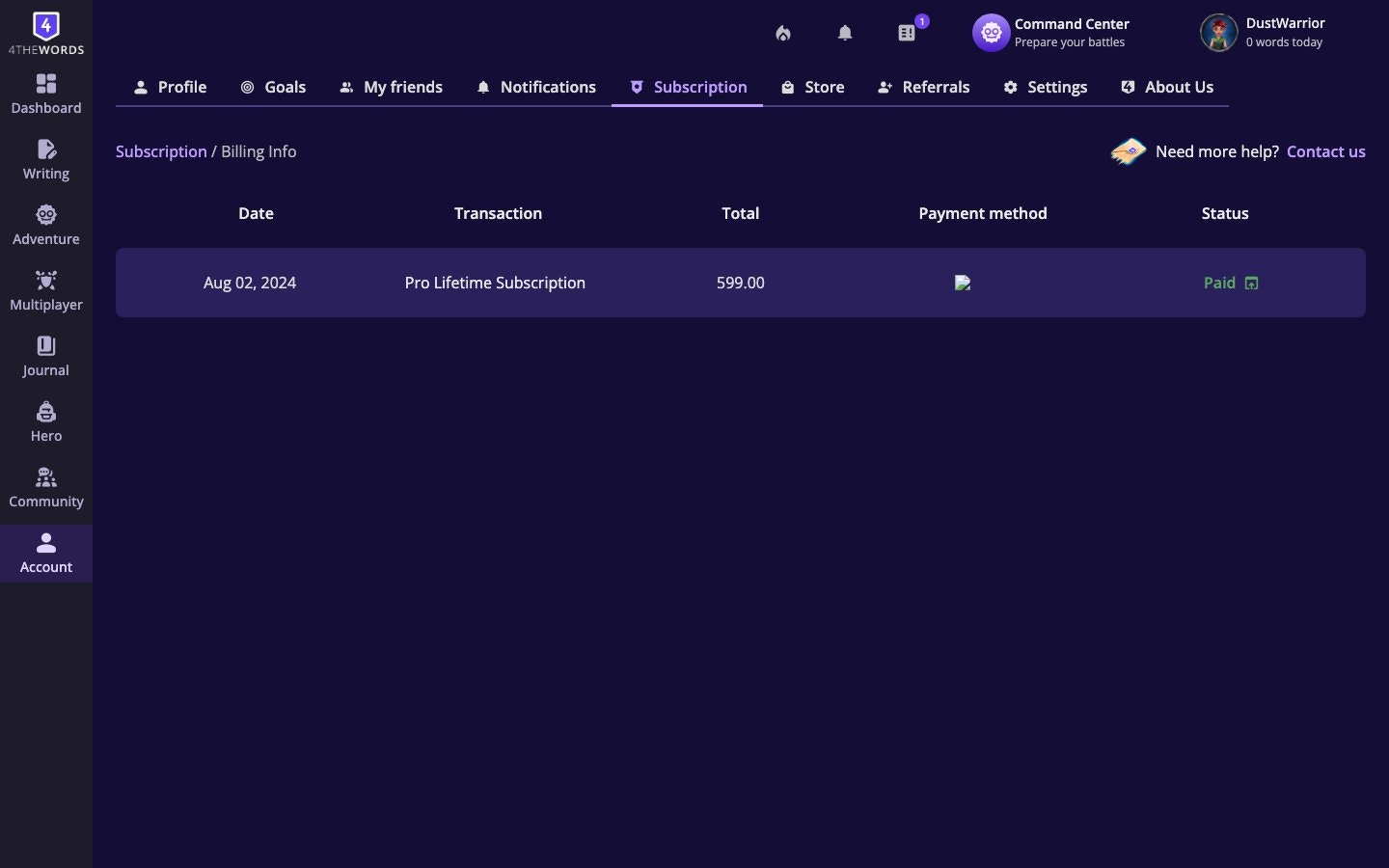 Your Billing History shows every purchase you've made. Each row displays:
* **Date**: when the transaction occurred
* **Transaction**: what was purchased (e.g., "Pro Yearly Subscription")
* **Total**: the amount charged
* **Payment method**: card brand and last four digits, or PayPal
* **Status**: **Paid** (green), **Failed** (red), or **Refunded** (yellow)
**Downloading an invoice:** Click the **Paid** label on any successful transaction to open or download the invoice for that purchase.
## Frequently Asked Questions
No. You don't need a credit card or any payment information to use 4thewords. All you need is a valid email address. No payment information is entered until you choose a paid plan.
Identical features. Lifetime Pro is a one-time purchase; Pro is a recurring subscription. Any future benefits added to Pro will always be included with Lifetime Pro. Only the payment model differs.
Yes. Monthly and yearly subscriptions renew automatically unless you cancel. Lifetime Pro and gift code subscriptions do not renew.
Yes. Go to your **Subscription** page and select the yearly option for your current plan tier.
No. Subscriptions cannot be paused. You can cancel and resubscribe when you're ready.
Your subscription is canceled and will not renew at the end of the current billing period. You keep full access until your paid period expires. Nothing is cut off immediately. After expiry, your account moves to the Free plan limits.
Nothing is deleted. Your files, projects, wardrobe looks, and maps all stay. You just can't create new ones if you're over the lower plan's limit. Purchased slots (Wardrobe, Maps) are yours permanently. Quests stay in your Questbook but you can't pick up new ones until you're under the limit.
The **Cancel plan** button only appears for active monthly or yearly subscriptions. If you're on a gift code, special promotion, or Lifetime Pro plan, cancellation isn't applicable. Those plans either expire on a set date or never renew.
Yearly plans have a 15-day no-questions-asked refund policy. Contact support within 15 days of purchase. Monthly plans and Lifetime Pro memberships cannot be refunded. Unused gift codes can be refunded within 14 days of purchase; used codes cannot.
Refresh the page. Activation is usually instant. If it still shows Free, check **Billing History** to confirm the payment shows as **Paid**. If the payment is listed but your plan hasn't updated, use **Contact Us** on the Subscription page.
Failed payments appear in **Billing History** with a red **Failed** status. Common causes are an expired card, insufficient funds, or a PayPal issue. Try again with an updated payment method, or switch between PayPal and card. If the problem persists, contact your bank or PayPal to check for blocks on the transaction on international transactions (we are based in Costa Rica).
Check your Billing History for the cancellation date. Subscriptions stay active through the end of the paid period, so one more charge is expected if you cancelled mid-cycle. If charges appear after your expiry date, contact support via **Contact Us**.
A set of items (Wardrobe, House, Badge, Stempos, etc.) that you receive when you subscribe to a paid plan for the first time. You keep these items even if you downgrade later.
Yes. The Main Quest counts toward your active quest slots.
This is a server health and security precaution, not a limit you'll likely reach. 1,000 battles in a day is roughly one battle per minute for 17 straight hours. All battle types (solo, endurance, co-op) count toward this limit. Frozen or Time-Warped monsters do not count toward your Battle List capacity.
Refills arrive on your plan's renewal date. Bought on May 4th? You get refills on the 4th of each month. Pro and Lifetime Pro members receive 10 Crystals, 10 Stempos, all Reactions (100+), and all consumable items monthly.
***
## Contact & Support
If you have a subscription issue you can't resolve on your own, use the **Contact Us** form on your **Subscription** page (left sidebar → **Account** → **Subscription**, scroll to the bottom). Select **Payment / Subscription Issue** as the category and describe your problem.
**Gifts, currencies, and spending**
Redeem gift codes, gift subscriptions to other players, and donate to the Community Pool.
Understand how Coins, Crystals, and Stempos work, how to earn them, and what to spend them on.
Your Billing History shows every purchase you've made. Each row displays:
* **Date**: when the transaction occurred
* **Transaction**: what was purchased (e.g., "Pro Yearly Subscription")
* **Total**: the amount charged
* **Payment method**: card brand and last four digits, or PayPal
* **Status**: **Paid** (green), **Failed** (red), or **Refunded** (yellow)
**Downloading an invoice:** Click the **Paid** label on any successful transaction to open or download the invoice for that purchase.
## Frequently Asked Questions
No. You don't need a credit card or any payment information to use 4thewords. All you need is a valid email address. No payment information is entered until you choose a paid plan.
Identical features. Lifetime Pro is a one-time purchase; Pro is a recurring subscription. Any future benefits added to Pro will always be included with Lifetime Pro. Only the payment model differs.
Yes. Monthly and yearly subscriptions renew automatically unless you cancel. Lifetime Pro and gift code subscriptions do not renew.
Yes. Go to your **Subscription** page and select the yearly option for your current plan tier.
No. Subscriptions cannot be paused. You can cancel and resubscribe when you're ready.
Your subscription is canceled and will not renew at the end of the current billing period. You keep full access until your paid period expires. Nothing is cut off immediately. After expiry, your account moves to the Free plan limits.
Nothing is deleted. Your files, projects, wardrobe looks, and maps all stay. You just can't create new ones if you're over the lower plan's limit. Purchased slots (Wardrobe, Maps) are yours permanently. Quests stay in your Questbook but you can't pick up new ones until you're under the limit.
The **Cancel plan** button only appears for active monthly or yearly subscriptions. If you're on a gift code, special promotion, or Lifetime Pro plan, cancellation isn't applicable. Those plans either expire on a set date or never renew.
Yearly plans have a 15-day no-questions-asked refund policy. Contact support within 15 days of purchase. Monthly plans and Lifetime Pro memberships cannot be refunded. Unused gift codes can be refunded within 14 days of purchase; used codes cannot.
Refresh the page. Activation is usually instant. If it still shows Free, check **Billing History** to confirm the payment shows as **Paid**. If the payment is listed but your plan hasn't updated, use **Contact Us** on the Subscription page.
Failed payments appear in **Billing History** with a red **Failed** status. Common causes are an expired card, insufficient funds, or a PayPal issue. Try again with an updated payment method, or switch between PayPal and card. If the problem persists, contact your bank or PayPal to check for blocks on the transaction on international transactions (we are based in Costa Rica).
Check your Billing History for the cancellation date. Subscriptions stay active through the end of the paid period, so one more charge is expected if you cancelled mid-cycle. If charges appear after your expiry date, contact support via **Contact Us**.
A set of items (Wardrobe, House, Badge, Stempos, etc.) that you receive when you subscribe to a paid plan for the first time. You keep these items even if you downgrade later.
Yes. The Main Quest counts toward your active quest slots.
This is a server health and security precaution, not a limit you'll likely reach. 1,000 battles in a day is roughly one battle per minute for 17 straight hours. All battle types (solo, endurance, co-op) count toward this limit. Frozen or Time-Warped monsters do not count toward your Battle List capacity.
Refills arrive on your plan's renewal date. Bought on May 4th? You get refills on the 4th of each month. Pro and Lifetime Pro members receive 10 Crystals, 10 Stempos, all Reactions (100+), and all consumable items monthly.
***
## Contact & Support
If you have a subscription issue you can't resolve on your own, use the **Contact Us** form on your **Subscription** page (left sidebar → **Account** → **Subscription**, scroll to the bottom). Select **Payment / Subscription Issue** as the category and describe your problem.
**Gifts, currencies, and spending**
Redeem gift codes, gift subscriptions to other players, and donate to the Community Pool.
Understand how Coins, Crystals, and Stempos work, how to earn them, and what to spend them on.