> ## Documentation Index
> Fetch the complete documentation index at: https://help.4thewords.com/llms.txt
> Use this file to discover all available pages before exploring further.
# Community & Forum
> Join the Forum, read community writing, vote in the Lookbook, and support other Dust Warriors.
## Overview
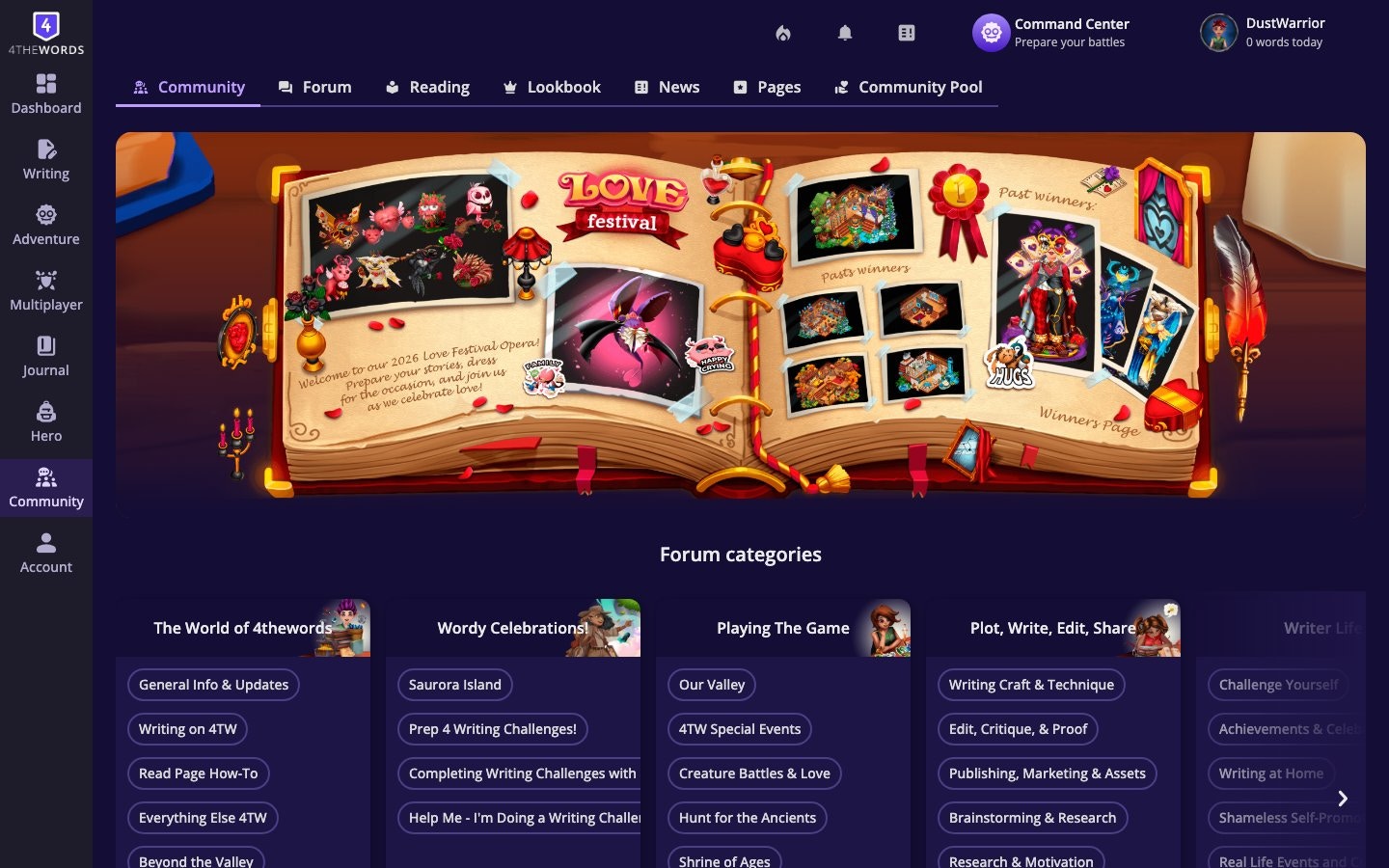
The Community Hub is where players interact outside of battles. Post in the **Forum**, browse other writers' work in **Reading**, vote on character outfits in the [**Lookbook**](/adventure/maps-hideout/overview), and check **News** for official announcements.
> **Where to find it:** Left sidebar → **Community** (the speech bubble icon) [Open in 4TW ↗](https://app.4thewords.com/community)
 ## How It Works
### Forum
The Forum is the main discussion space for Dust Warriors. Browse threads by topic, write your own posts, and respond to others.
## How It Works
### Forum
The Forum is the main discussion space for Dust Warriors. Browse threads by topic, write your own posts, and respond to others.
 1. **Browse by category.** Threads are organized into topics. Look for writing challenges, game discussion, bug reports, and community events.
2. **Post a new thread.** by clicking the new thread button at the top of the relevant category.
3. **Reply to a thread.** by opening it and using the reply box at the bottom.
4. **Use Reactions.** Inside threads, you can react to posts using Reaction items from your inventory. This is how collected Reactions are used in the community.
### Reading
The [**Reading**](/community/reading-and-publishing) section lets you browse stories, journals, and writing shared by other Dust Warriors, and publish your own projects to the community. See the [full reading guide](/community/reading-and-publishing) for publishing, browsing, bookmarking, and managing your reading list.
1. **Browse by category.** Threads are organized into topics. Look for writing challenges, game discussion, bug reports, and community events.
2. **Post a new thread.** by clicking the new thread button at the top of the relevant category.
3. **Reply to a thread.** by opening it and using the reply box at the bottom.
4. **Use Reactions.** Inside threads, you can react to posts using Reaction items from your inventory. This is how collected Reactions are used in the community.
### Reading
The [**Reading**](/community/reading-and-publishing) section lets you browse stories, journals, and writing shared by other Dust Warriors, and publish your own projects to the community. See the [full reading guide](/community/reading-and-publishing) for publishing, browsing, bookmarking, and managing your reading list.
 ### Lookbook
The **Lookbook** is a community fashion gallery, a rotating showcase of Dust Warriors' character outfits. Vote for your favorites and browse the styles the community is putting together. You can cast **one vote per week**, and votes reset every **Monday** for the Wardrobe and once a month for Maps.
### Lookbook
The **Lookbook** is a community fashion gallery, a rotating showcase of Dust Warriors' character outfits. Vote for your favorites and browse the styles the community is putting together. You can cast **one vote per week**, and votes reset every **Monday** for the Wardrobe and once a month for Maps.
 1. **Browse.** the current gallery of submitted character looks.
2. **Vote.** for a character look you like.
3. **Submit your own.** character to the Lookbook from your [Wardrobe](/character-and-gear/wardrobe-and-characters) page by making it public.
### News
The **News** section shows official announcements from the 4thewords team. Updates, new features, upcoming events, and patch notes.
1. **Browse.** the current gallery of submitted character looks.
2. **Vote.** for a character look you like.
3. **Submit your own.** character to the Lookbook from your [Wardrobe](/character-and-gear/wardrobe-and-characters) page by making it public.
### News
The **News** section shows official announcements from the 4thewords team. Updates, new features, upcoming events, and patch notes.
 Check here first when something in the game changes or a new event is announced.
### Community Pool
The [**Community Pool**](/character-and-gear/resources-and-currency) is an optional support program that lets players with means donate subscription time to players who need financial help.
Check here first when something in the game changes or a new event is announced.
### Community Pool
The [**Community Pool**](/character-and-gear/resources-and-currency) is an optional support program that lets players with means donate subscription time to players who need financial help.
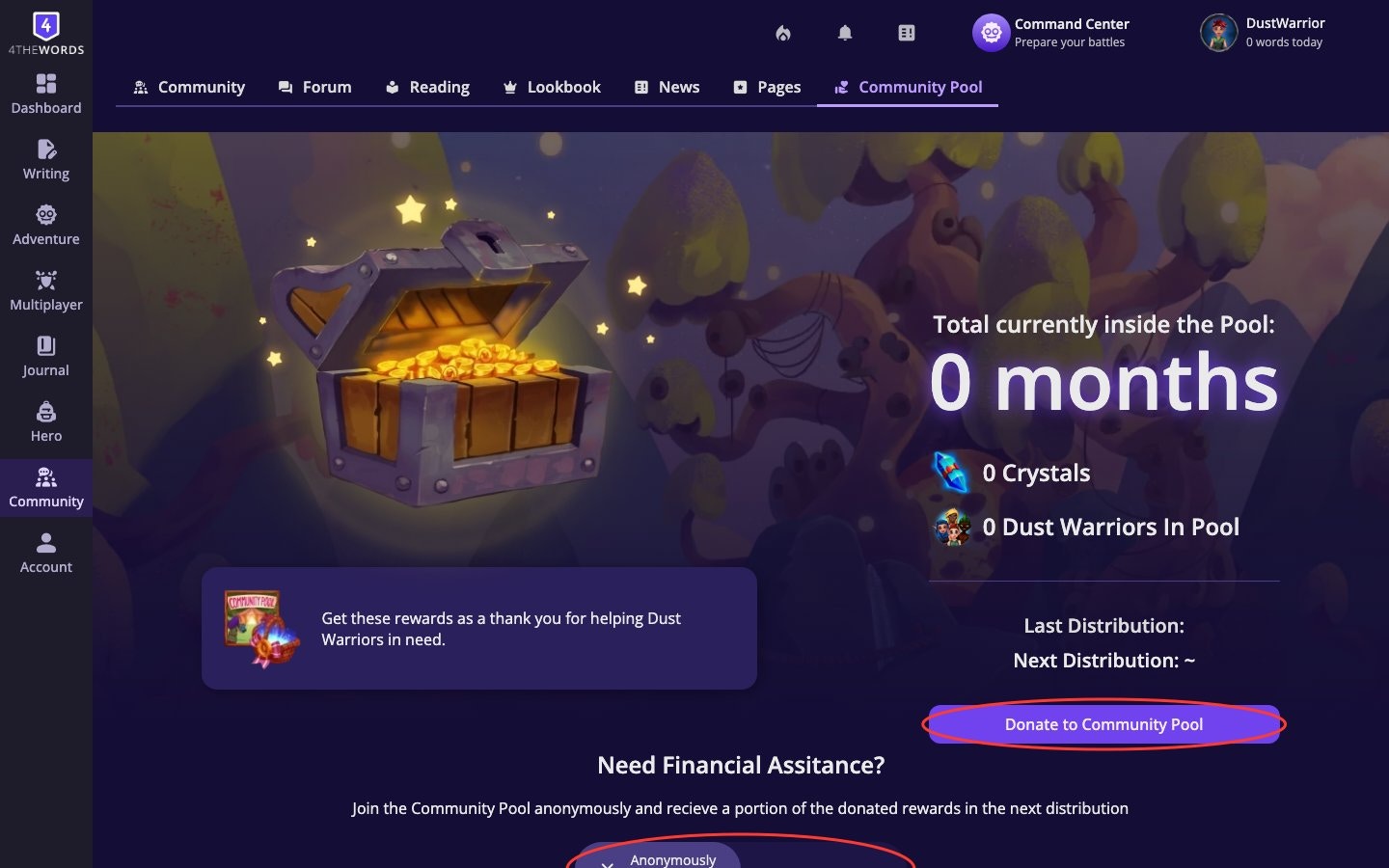 * **To donate:** Go to **Account** → [**Subscription**](/account/plans-and-pricing) → scroll to the Community Pool section. Choose a donation amount and complete checkout.
* **To receive:** Available to **Free plan** accounts that have been active for at least **30 days**. Opt in anonymously from the Community Pool section on your Subscription page.
* Donations go directly to opted-in players. Both sides are anonymous.
## Frequently Asked Questions
Make sure you're clicking the new thread button inside the correct category, or using the reply box at the bottom of a thread. If the post button isn't responding, try refreshing the page. If the issue persists, contact support.
Reactions are used inside Forum threads. Click the reaction button on a post and choose from your inventory. They can also be sent to friends via private chat.
You get one vote per rotation (Wardrobe is chosen every Monday, Houses every Month). Open the Lookbook, browse the character and Map looks, and click the vote button on the one you want to support.
An optional program where players donate subscription access to others who need it. Both donors and recipients are anonymous. Free accounts active for 30+ days can opt in to receive donations from the Subscription page.
Yes. All community features are available to all players, including free accounts. You can post in the Forum, read other writers' work, vote in the Lookbook, and read News.
**More ways to connect**
Publish your writing, browse community works, bookmark chapters, and build your reading list.
Add friends, send private messages, share items from your inventory, and motivate each other daily.
Compare Free, Member, Pro, and Lifetime plans, manage your billing, and redeem gift codes.
* **To donate:** Go to **Account** → [**Subscription**](/account/plans-and-pricing) → scroll to the Community Pool section. Choose a donation amount and complete checkout.
* **To receive:** Available to **Free plan** accounts that have been active for at least **30 days**. Opt in anonymously from the Community Pool section on your Subscription page.
* Donations go directly to opted-in players. Both sides are anonymous.
## Frequently Asked Questions
Make sure you're clicking the new thread button inside the correct category, or using the reply box at the bottom of a thread. If the post button isn't responding, try refreshing the page. If the issue persists, contact support.
Reactions are used inside Forum threads. Click the reaction button on a post and choose from your inventory. They can also be sent to friends via private chat.
You get one vote per rotation (Wardrobe is chosen every Monday, Houses every Month). Open the Lookbook, browse the character and Map looks, and click the vote button on the one you want to support.
An optional program where players donate subscription access to others who need it. Both donors and recipients are anonymous. Free accounts active for 30+ days can opt in to receive donations from the Subscription page.
Yes. All community features are available to all players, including free accounts. You can post in the Forum, read other writers' work, vote in the Lookbook, and read News.
**More ways to connect**
Publish your writing, browse community works, bookmark chapters, and build your reading list.
Add friends, send private messages, share items from your inventory, and motivate each other daily.
Compare Free, Member, Pro, and Lifetime plans, manage your billing, and redeem gift codes.