
Overview
4thewords is free to play. You can write, battle, and explore with a free account. Upgrading to a Member, Pro, or Lifetime Pro plan unlocks higher limits, monthly perks, and full access to special events.Where to find it: Left sidebar → Account → Subscription Open in 4TW ↗
Choosing a Plan
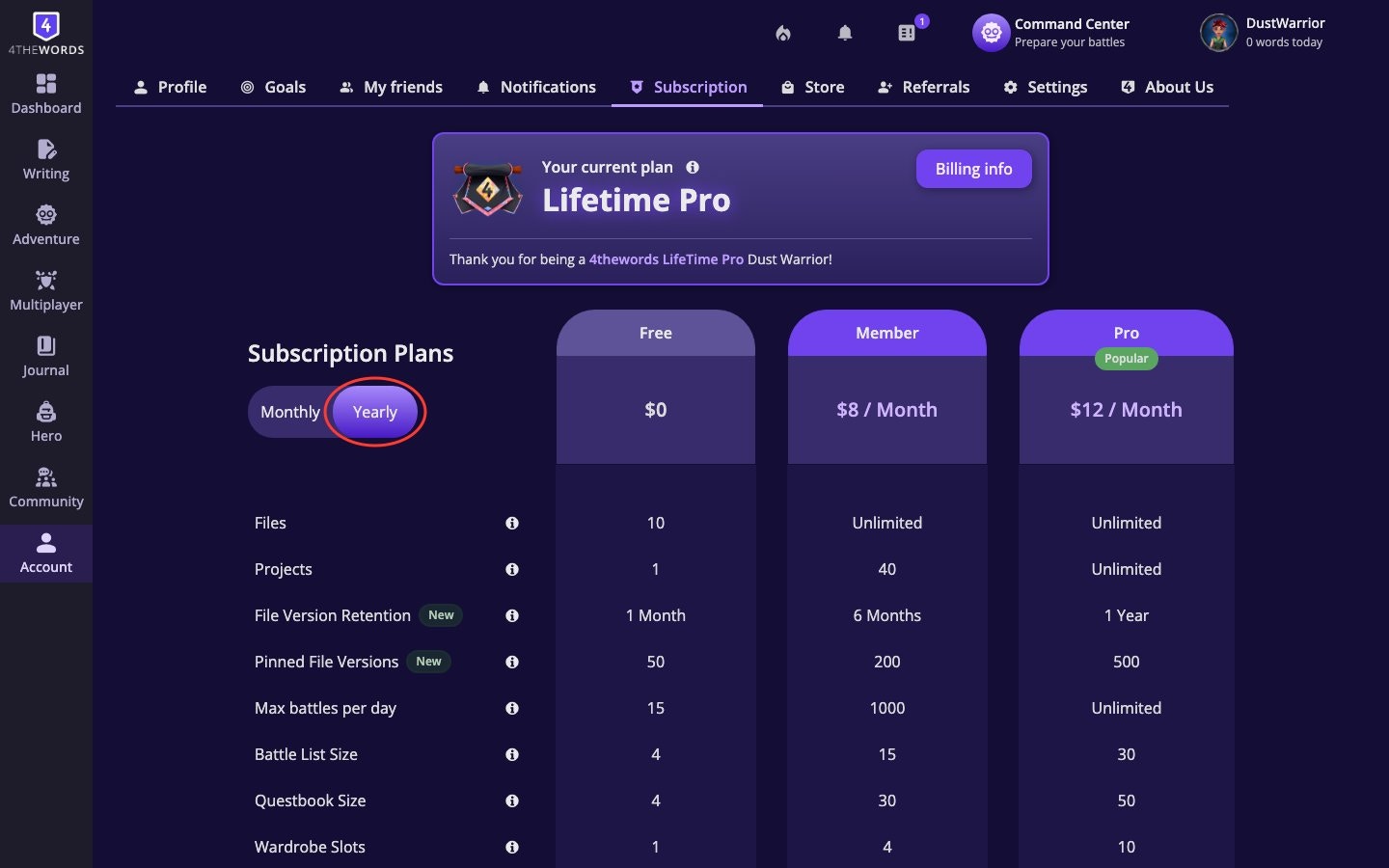
- Open Account in the left sidebar, then choose Subscription.
- You’ll see a comparison table with the plans: Free, Member, Pro.
- Use the Monthly / Yearly toggle at the top to switch between billing frequencies. Yearly pricing is discounted.
- Review what each plan includes.
Please note these are subject to change. Check our Pricing & Subscription pages for up to date information.
The Monthly Crystals row covers subscriber refills only. Every plan, Free included, can earn Crystals by referring friends, through the Community Pool, and from some quests.
- 100 extra Tokens on the first day of every event
- 1 exclusive Pro item made just for Pro members
- 5 extra days to complete the event after it officially closes
- Early access: enter the event before other players
Upgrading Your Plan
- Choose a plan. On the Subscription page, click Upgrade on the plan you want.
- Complete checkout:
- Details: confirm what you’re purchasing
- Method: choose PayPal or credit card
- Confirm: review and submit
- Payment confirmed. You’ll land on a “Thank You!” screen with your purchase details.
- Plan activates immediately. Refresh the page if your new benefits aren’t showing yet.
Payment methods supported: PayPal and credit card (Visa, Mastercard, and others).
Managing Your Subscription
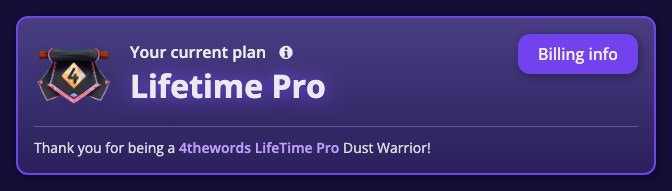
Where to find it: Left sidebar → Account → Subscription Open in 4TW ↗Your current plan is always shown at the top of the page with a Current Plan badge.
- Click Cancel plan on the Subscription page.
- Access continues until the end of your current paid period. You’re not cut off immediately.
- Changed your mind? The button changes to Renew Plan. Click it any time before expiry to reactivate.
Billing History
Where to find it: Left sidebar → Account → Subscription → Billing info Open in 4TW ↗
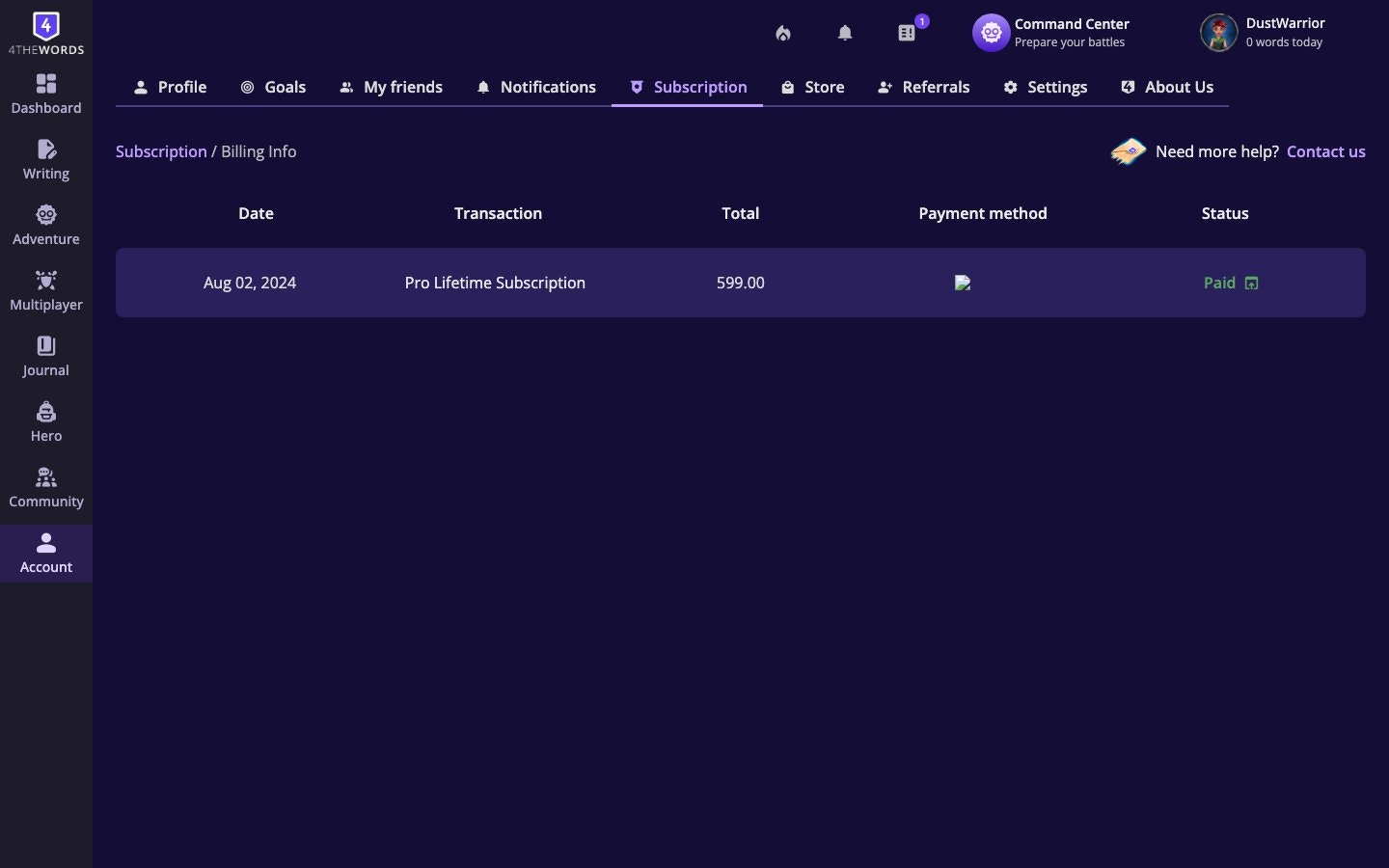
- Date: when the transaction occurred
- Transaction: what was purchased (e.g., “Pro Yearly Subscription”)
- Total: the amount charged
- Payment method: card brand and last four digits, or PayPal
- Status: Paid (green), Failed (red), or Refunded (yellow)
Frequently Asked Questions
Do I need to provide payment information to use 4thewords?
Do I need to provide payment information to use 4thewords?
No. You don’t need a credit card or any payment information to use 4thewords. All you need is a valid email address. No payment information is entered until you choose a paid plan.
What's the difference between Pro and Lifetime Pro?
What's the difference between Pro and Lifetime Pro?
Identical features. Lifetime Pro is a one-time purchase; Pro is a recurring subscription. Any future benefits added to Pro will always be included with Lifetime Pro. Only the payment model differs.
Does my subscription automatically renew?
Does my subscription automatically renew?
Yes. Monthly and yearly subscriptions renew automatically unless you cancel. Lifetime Pro and gift code subscriptions do not renew.
Can I switch from monthly to yearly billing?
Can I switch from monthly to yearly billing?
Yes. Go to your Subscription page and select the yearly option for your current plan tier.
Can I pause my subscription and resume later?
Can I pause my subscription and resume later?
No. Subscriptions cannot be paused. You can cancel and resubscribe when you’re ready.
What happens when I cancel?
What happens when I cancel?
Your subscription is canceled and will not renew at the end of the current billing period. You keep full access until your paid period expires. Nothing is cut off immediately. After expiry, your account moves to the Free plan limits.
What happens if I downgrade my plan?
What happens if I downgrade my plan?
Nothing is deleted. Your files, projects, wardrobe looks, and maps all stay. You just can’t create new ones if you’re over the lower plan’s limit. Purchased slots (Wardrobe, Maps) are yours permanently. Quests stay in your Questbook but you can’t pick up new ones until you’re under the limit.
What is the refund policy?
What is the refund policy?
Yearly plans have a 15-day no-questions-asked refund policy. Contact support within 15 days of purchase. Monthly plans and Lifetime Pro memberships cannot be refunded. Unused gift codes can be refunded within 14 days of purchase; used codes cannot.
My payment went through but my plan still shows as Free.
My payment went through but my plan still shows as Free.
Refresh the page. Activation is usually instant. If it still shows Free, check Billing History to confirm the payment shows as Paid. If the payment is listed but your plan hasn’t updated, use Contact Us on the Subscription page.
My payment failed.
My payment failed.
Failed payments appear in Billing History with a red Failed status. Common causes are an expired card, insufficient funds, or a PayPal issue. Try again with an updated payment method, or switch between PayPal and card. If the problem persists, contact your bank or PayPal to check for blocks on the transaction on international transactions (we are based in Costa Rica).
I cancelled my plan but I'm still being charged.
I cancelled my plan but I'm still being charged.
Check your Billing History for the cancellation date. Subscriptions stay active through the end of the paid period, so one more charge is expected if you cancelled mid-cycle. If charges appear after your expiry date, contact support via Contact Us.
What is the Cosmetics Welcome Pack?
What is the Cosmetics Welcome Pack?
A set of items (Wardrobe, House, Badge, Stempos, etc.) that you receive when you subscribe to a paid plan for the first time. You keep these items even if you downgrade later.
Will the Main Quest count toward my Questbook capacity?
Will the Main Quest count toward my Questbook capacity?
Yes. The Main Quest counts toward your active quest slots.
Why is the Member plan limited to 1,000 battles per day?
Why is the Member plan limited to 1,000 battles per day?
This is a server health and security precaution, not a limit you’ll likely reach. 1,000 battles in a day is roughly one battle per minute for 17 straight hours. All battle types (solo, endurance, co-op) count toward this limit. Frozen or Time-Warped monsters do not count toward your Battle List capacity.
When do monthly refills arrive and what's included?
When do monthly refills arrive and what's included?
Refills arrive on your plan’s renewal date. Bought on May 4th? You get refills on the 4th of each month. Pro and Lifetime Pro members receive 10 Crystals, 10 Stempos, all Reactions (100+), and all consumable items monthly.
Contact & Support
If you have a subscription issue you can’t resolve on your own, use the Contact Us form on your Subscription page (left sidebar → Account → Subscription, scroll to the bottom). Select Payment / Subscription Issue as the category and describe your problem. Gifts, currencies, and spendingGift Codes & Gifting
Redeem gift codes, gift subscriptions to other players, and donate to the Community Pool.
Resources & Currency
Understand how Coins, Crystals, and Stempos work, how to earn them, and what to spend them on.