
Where to find it: Left sidebar → Adventure → Markets tab Open in 4TW ↗
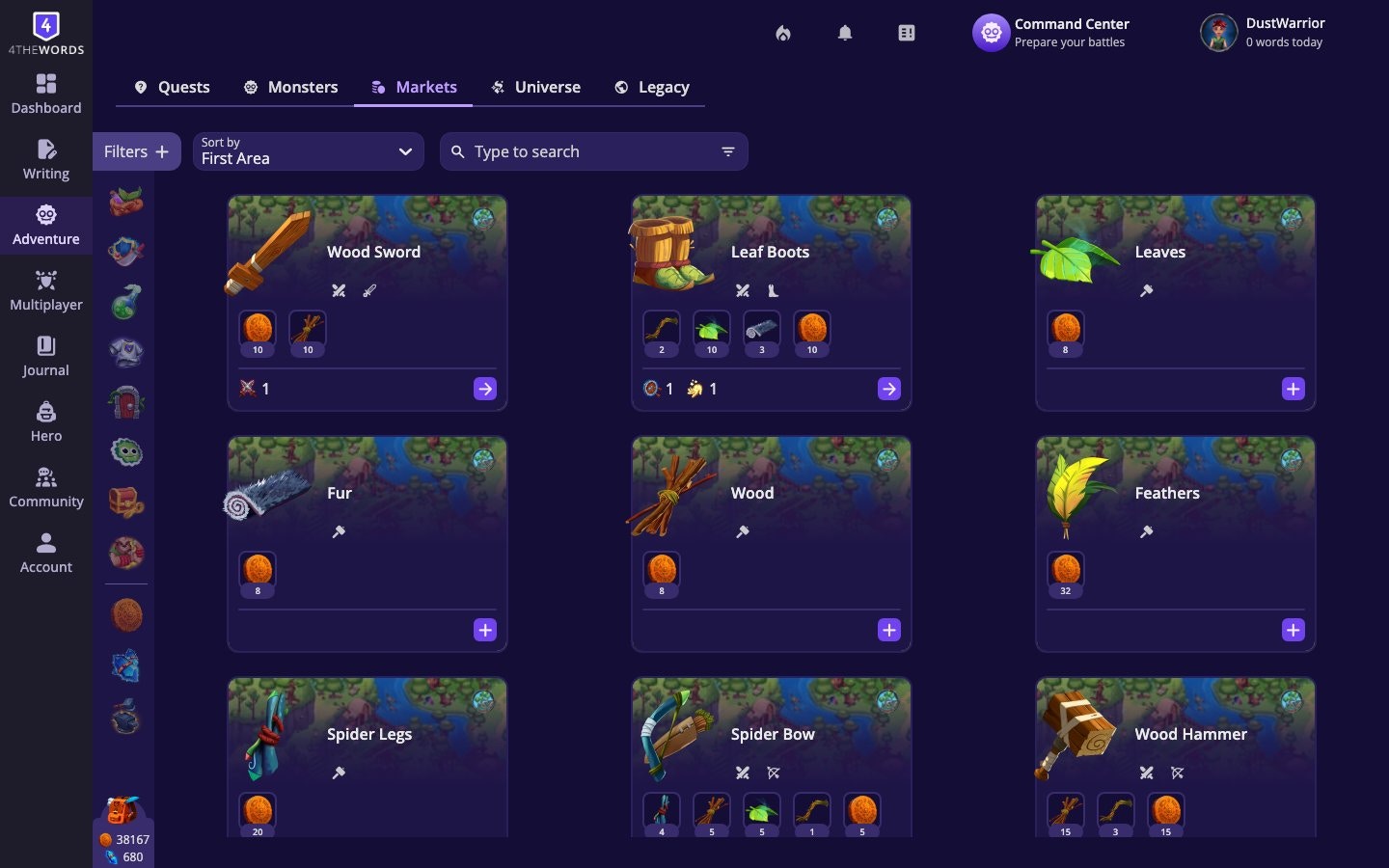
Item Categories
Items are organized into 9 categories:Getting an Item
When you find an item you want, open its details panel. Most items offer one or more ways to acquire them:- Craft Item: Combine the required materials to make it. You’ll need all listed ingredients in your inventory.
- Buy with Coins: Purchase it directly using your in-game Coins.
- Buy with Crystals: Purchase it using premium Crystals. A link to the store appears if you need more.
Market Filters

- Can afford to craft: Shows only items you have enough materials to craft right now
- Need for Quests: Shows items required by your active quests
- Favorites: Show only your starred market items
- Category: Filter by any of the 9 item types
- Sort: Organize by Id, Alphabetically, Recently Added, or by combat stat (High Attack / High Defense / High Luck)
Frequently Asked Questions
How do I get more items?
How do I get more items?
Items come from three main sources. Buying or crafting them at Markets (Adventure → Markets), earning them as quest rewards, and looting them from defeated monsters. Open any item’s details panel to see all the ways to obtain it.
Do battle items get used up during fights?
Do battle items get used up during fights?
No. Equipped battle items stay in your loadout and don’t get consumed. Only Consumable Items are single-use. Everything else persists across fights until you choose to change it.
What are Reactions?
What are Reactions?
Reactions are stickers or emotes you can collect and use in community spaces. The forum, threads, and other places where Dust Warriors interact. When you send a reaction in the forum it taken from your inventory and added to the recipient’s inventory.
A market item is grayed out or I can't buy it.
A market item is grayed out or I can't buy it.
Either you don’t have enough coins/crystals, or you’re missing crafting materials. Click the item to see its full cost breakdown. Some items are only available during events or after meeting conditions.
I can't find a specific item in the Market.
I can't find a specific item in the Market.
Items are area-specific, not every market carries every item. You may need to unlock that area through the Main Storyline first.
Resources & Currency
How to earn Coins, Crystals, and Stempos, and what to spend them on.
Quests
Quests reward items and currency you can use at Markets.
Items & Inventory
Where your purchased items end up, and how to equip them.