
Where to find it: Left sidebar → Adventure (the monster head icon) Open in 4TW ↗
The Five Tabs
When you open Adventure, you’ll see five tabs across the top:
Most of your time will be in Monsters, Quests & Markets.
Unlocking New Areas
This is the most important thing to understand about Adventure World: areas are unlocked by completing quests, not by simply traveling there. Locked areas show which quest you need to complete to unlock them. Look for quests with an Area reward. Those quests literally hand you the key to a new region.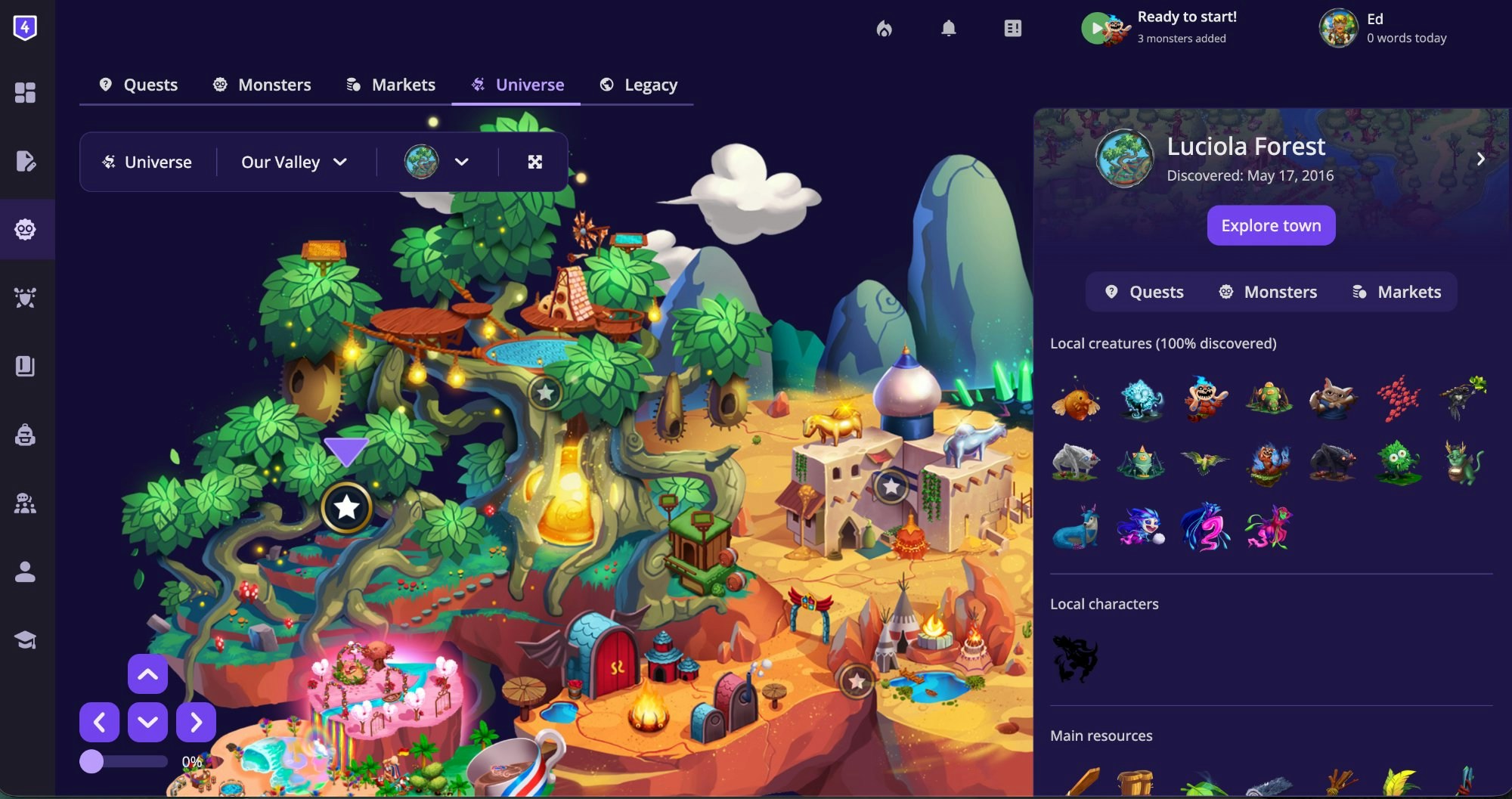
- Go to the Quests tab.
- Open Filters.
- Under Filter by rewards, select Area.
Some monsters, quests, and market items are intentionally hidden until you’ve met specific conditions, like owning a certain item or completing an earlier quest. If something a friend mentioned isn’t showing up, there’s likely a prerequisite to finish first.
Frequently Asked Questions
What's the difference between the Universe tab and the Legacy tab?
What's the difference between the Universe tab and the Legacy tab?
The Universe tab is the current adventure system with an interactive map, rich sidebar, and unified catalog tabs for monsters, quests, and markets. The Legacy tab opens the original worldmap with a more linear structure. Both work, but Universe is where new features land.
How do I unlock a new area?
How do I unlock a new area?
Areas are mostly unlocked by advancing in the Main Story. They are also unlocked by completing quests that have an Area as their reward, not by walking to them. In the Quests tab, filter rewards by Area to find exactly which quests open which regions. The locked area’s sidebar will also tell you what you need.
I'm not seeing any new monsters, quests, or items.
I'm not seeing any new monsters, quests, or items.
Everything in 4thewords is tied to areas. New monsters, quests, markets, and items unlock when you unlock new areas — and areas unlock by completing quests and advancing the Main Storyline. Check your Main Storyline tab (left sidebar → Journal → Questbook → Main Storyline) to see your next objective, or go to the Quests tab and filter by Area reward to find which quest opens the next region.
Can I have multiple quests active at once?
Can I have multiple quests active at once?
Yes, but your plan tier limits how many active quests and battles you can hold at once. See Plans & Pricing for details. If you see a “Limit reached” message when accepting a quest, complete or abandon an existing quest to make room.
A quest isn't showing up in my Quests tab.
A quest isn't showing up in my Quests tab.
Quests with unmet conditions are hidden from the list. This is intentional. It means there’s a prerequisite you haven’t completed yet. Work through quests in the areas you’ve already unlocked, and the blocked quest should appear once the condition is met.
I see 'Limit reached' when I try to take a quest.
I see 'Limit reached' when I try to take a quest.
You’ve hit the active quest or active battle cap for your subscription tier. To make room: complete a current quest, or abandon one you’re no longer working on. The cap resets as you clear your active list.
Quests
Accept quests from NPCs to earn items, currency, and unlock new areas.
Monsters
Browse every creature in the game. Filter by size, type, area, and more.
Universe & World Maps
Navigate the full world map and see what’s waiting in each area.