Overview
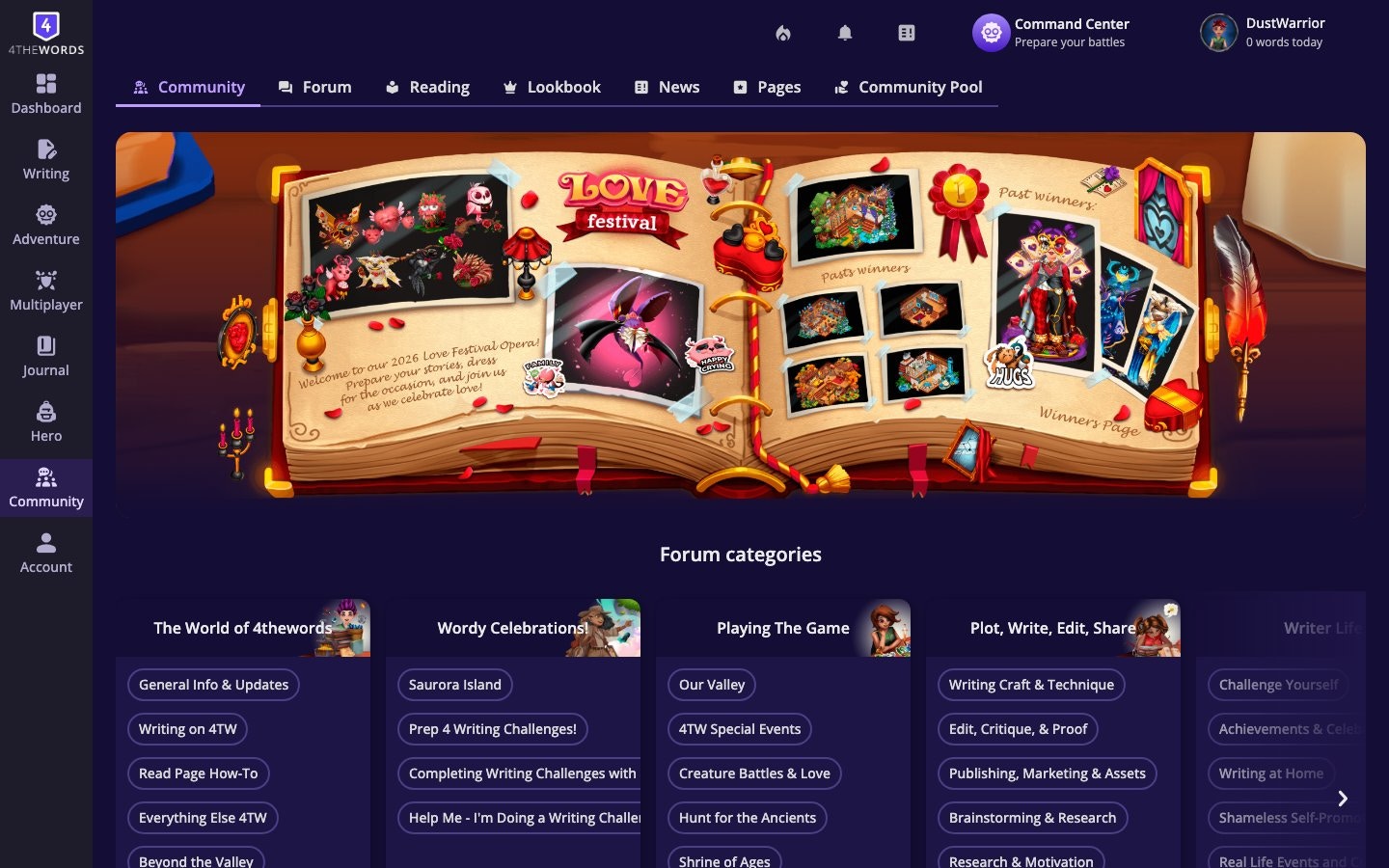
The Community Hub is where players interact outside of battles. Post in the Forum, browse other writers’ work in Reading, vote on character outfits in the Lookbook, and check News for official announcements.Where to find it: Left sidebar → Community (the speech bubble icon) Open in 4TW ↗
How It Works
Forum
The Forum is the main discussion space for Dust Warriors. Browse threads by topic, write your own posts, and respond to others.
- Browse by category. Threads are organized into topics. Look for writing challenges, game discussion, bug reports, and community events.
- Post a new thread. by clicking the new thread button at the top of the relevant category.
- Reply to a thread. by opening it and using the reply box at the bottom.
- Use Reactions. Inside threads, you can react to posts using Reaction items from your inventory. This is how collected Reactions are used in the community.
Reading
The Reading section lets you browse stories, journals, and writing shared by other Dust Warriors, and publish your own projects to the community. See the full reading guide for publishing, browsing, bookmarking, and managing your reading list.
Lookbook
The Lookbook is a community fashion gallery, a rotating showcase of Dust Warriors’ character outfits. Vote for your favorites and browse the styles the community is putting together. You can cast one vote per week, and votes reset every Monday for the Wardrobe and once a month for Maps.
- Browse. the current gallery of submitted character looks.
- Vote. for a character look you like.
- Submit your own. character to the Lookbook from your Wardrobe page by making it public.
News
The News section shows official announcements from the 4thewords team. Updates, new features, upcoming events, and patch notes.
Community Pool
The Community Pool is an optional support program that lets players with means donate subscription time to players who need financial help.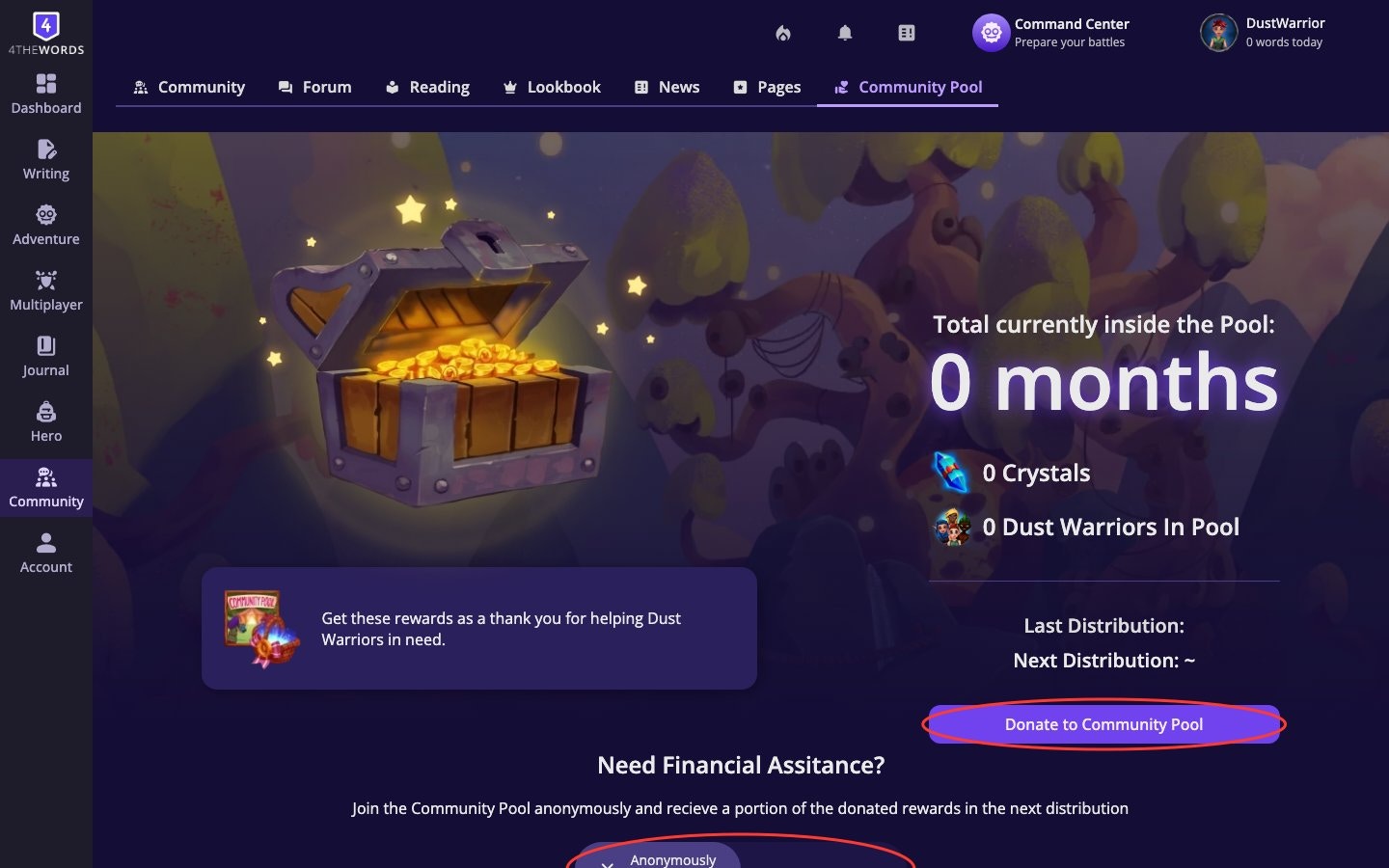
- To donate: Go to Account → Subscription → scroll to the Community Pool section. Choose a donation amount and complete checkout.
- To receive: Available to Free plan accounts that have been active for at least 30 days. Opt in anonymously from the Community Pool section on your Subscription page.
- Donations go directly to opted-in players. Both sides are anonymous.
Frequently Asked Questions
I'm having trouble posting in the Forum: what should I do?
I'm having trouble posting in the Forum: what should I do?
Make sure you’re clicking the new thread button inside the correct category, or using the reply box at the bottom of a thread. If the post button isn’t responding, try refreshing the page. If the issue persists, contact support.
How do I use my collected Reactions?
How do I use my collected Reactions?
Reactions are used inside Forum threads. Click the reaction button on a post and choose from your inventory. They can also be sent to friends via private chat.
How does the Lookbook vote work?
How does the Lookbook vote work?
You get one vote per rotation (Wardrobe is chosen every Monday, Houses every Month). Open the Lookbook, browse the character and Map looks, and click the vote button on the one you want to support.
What is the Community Pool?
What is the Community Pool?
An optional program where players donate subscription access to others who need it. Both donors and recipients are anonymous. Free accounts active for 30+ days can opt in to receive donations from the Subscription page.
Can Free plan users participate in the community?
Can Free plan users participate in the community?
Yes. All community features are available to all players, including free accounts. You can post in the Forum, read other writers’ work, vote in the Lookbook, and read News.
Reading & Publishing
Publish your writing, browse community works, bookmark chapters, and build your reading list.
Friends & Chat
Add friends, send private messages, share items from your inventory, and motivate each other daily.
Plans & Pricing
Compare Free, Member, Pro, and Lifetime plans, manage your billing, and redeem gift codes.
Referrals
Invite friends to the community, become their mentor, and earn rewards together.