

Step 1: Remove from this computer
Open the desktop app, go to Settings, scroll to the bottom and click Remove from this computer. This closes 4thewords, turns off launch at login and disconnects it from the 4thewords browser extension. Tick Also delete the data 4thewords saved on this computer if you want to remove your local data too.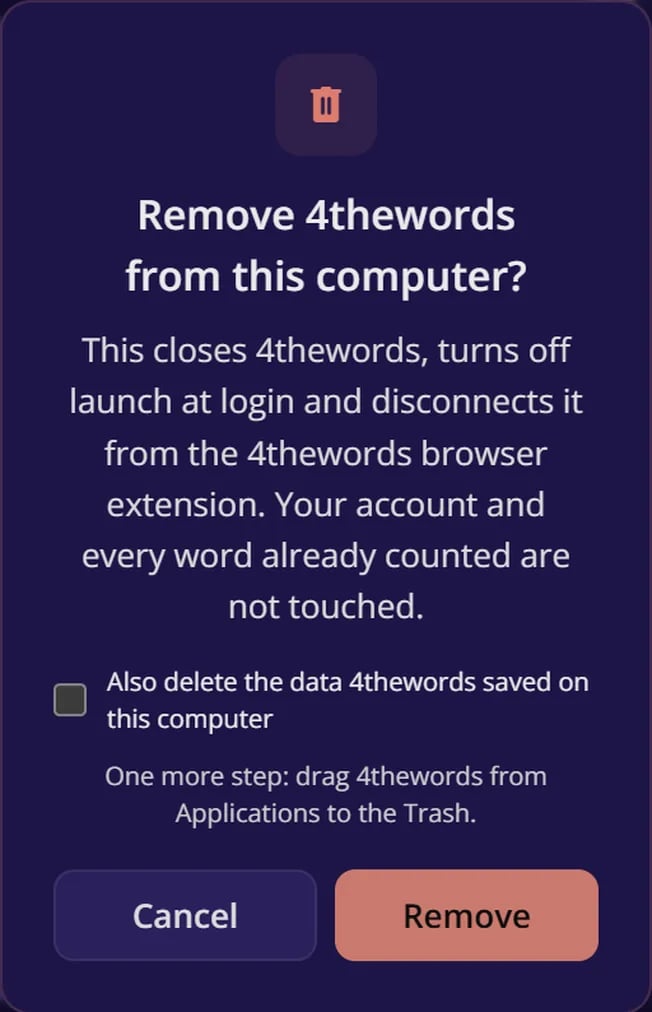
If something can’t be removed, for example because a browser is still using it, the app lists those files. Close your browser, then delete them yourself.
Step 2: Remove the app itself
- Mac
- Windows
- Linux
Drag 4thewords from Applications to the Trash.
Do I lose my progress if I uninstall?
Do I lose my progress if I uninstall?
No. Your account, battles, streak and words live on 4thewords’ servers, not in the app. Sign in again after reinstalling and everything is there.
Does uninstalling remove the Chrome extension?
Does uninstalling remove the Chrome extension?
No. The extension is separate. It keeps counting on its own once the desktop app is gone. See Permissions & Privacy to remove it too.