Where to find it: 4thewords icon → main view
Battle damage
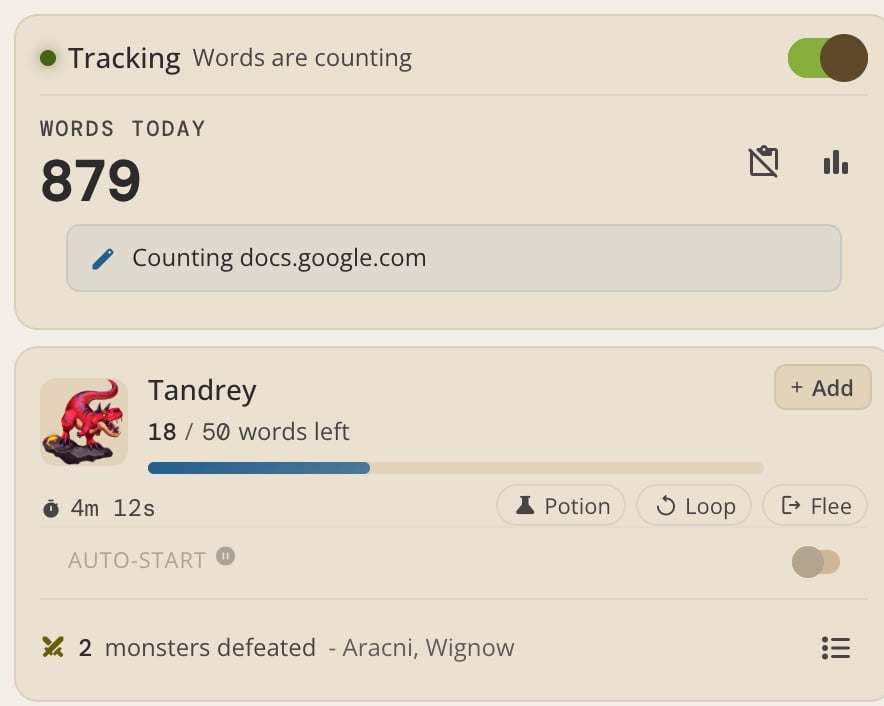
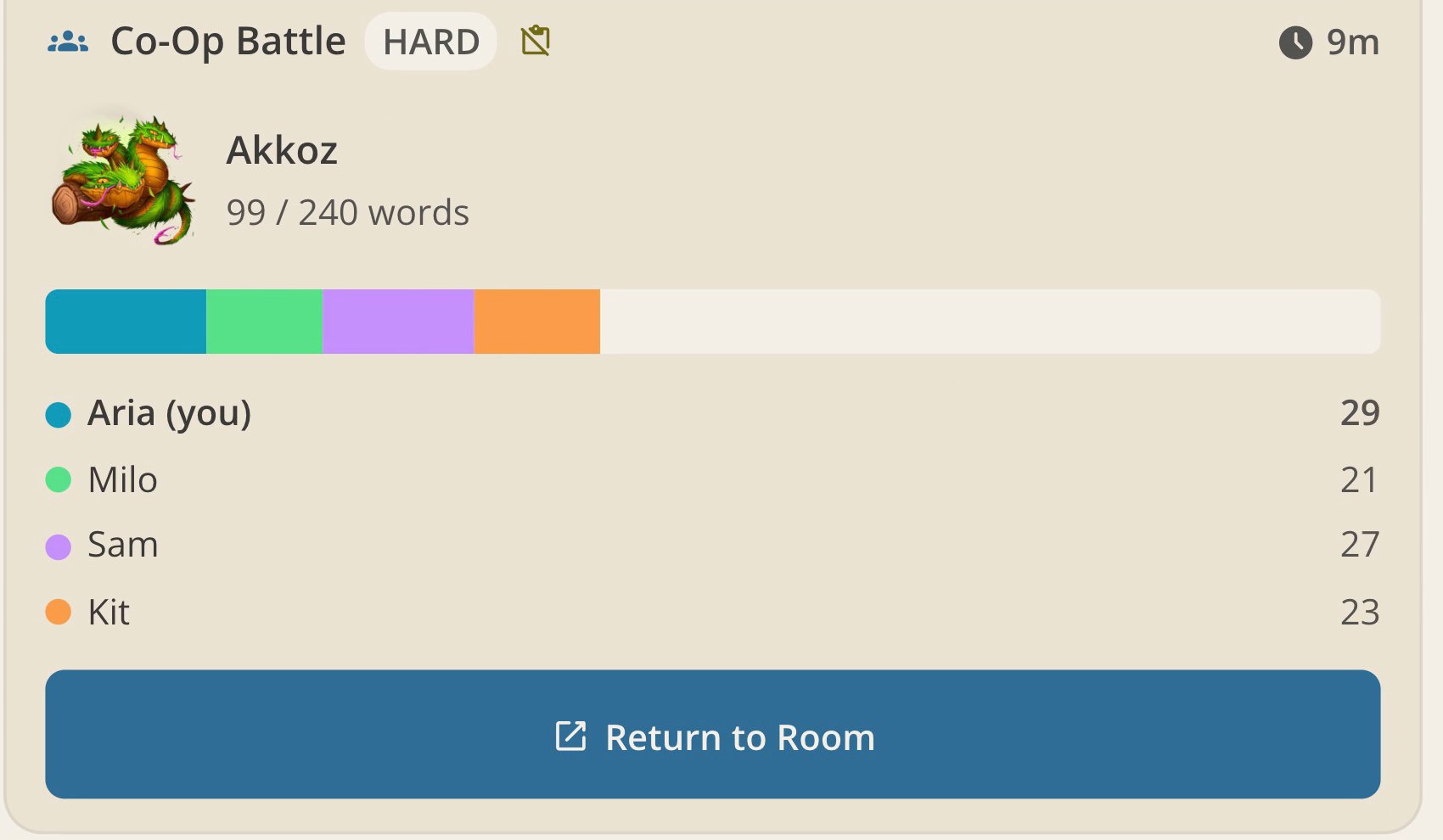
Whichever battle is active in your account, started from the app or the extension, receives damage from your typed words. Open the popup or side panel to see your live battle card: words left, time remaining, and your progress bar update as you write.This works for solo, endurance, and co-op battles alike. For the full rules on how each battle type works, see Writing Battles.
Battle controls
Chip buttons sit next to the timer on your active battle card:- Potion. Opens your battle on 4thewords, where you can use consumables. Potions are used on the site, not inside the extension.
- Loop. Repeats this battle automatically every time you win it. Great for grinding a monster without touching the extension between rounds.
- Flee. Abandons the battle after a confirmation. The monster gets away.
Loop and Potion act on your account’s battle, so they only appear once you’ve connected and only when they apply to the current battle. In local mode you’ll see Flee only.
Battle queue
Line up your next fights so a win rolls straight into the next battle:- Add monsters. Open the battle picker’s Add tab and queue monsters. Each queue entry shows its word goal and time limit. The Queue tab header shows how many slots you’ve used against your limit, which depends on your plan.
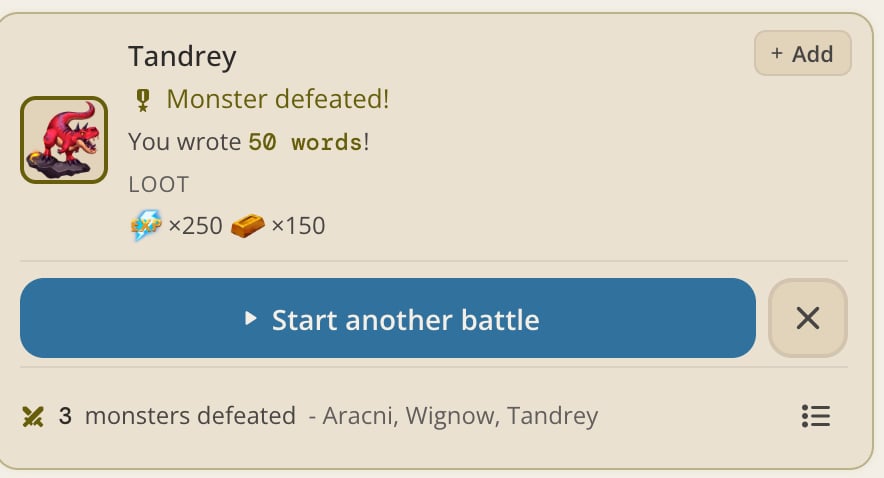
- Auto-start. With the Auto-start toggle on, the next queued monster starts the moment your current battle ends. With it off, the win screen waits until you start the next one yourself.
- Looped monsters. Queue entries marked with the loop icon repeat on win instead of advancing the queue.
- Frozen monsters. A monster on a freeze shows a Frozen tag with its remaining words and time. Starting it early ends the freeze, and the extension warns you before it does.
Battle notifications
Notifications in Settings is on by default. It alerts you when a battle needs you while the popup or side panel is closed:- A win that leaves nothing queued. Your writing has stopped counting toward a battle.
- A loss.
- A co-op team waiting on you.
Streaks
Your streak card in the popup or side panel mirrors your daily writing goal. Words typed through the extension count toward the same 444-word daily target as words typed in the app. See Writing Streaks for how streaks, Wings, and Medals work.Daily challenges
Your Words Written and Battles Fought daily challenge tracks update from extension activity the same as they do from the app. See Daily Challenges.Questbook
Both the popup and the side panel include a Questbook card showing your active quests, sorted by what’s ready to deliver. Badges on the card header show your active quests against your Questbook limit, how many are ready to deliver, and how many are expiring soon. Quest capacity depends on your plan tier, see Plans & Pricing for limits. The side panel also has a full Questbook view with more room for the list. Quest tracking needs a connected account.Writing without an account
Before you connect a 4thewords account, the extension runs in local mode: your words fight four starter monsters entirely inside your browser. Nothing syncs anywhere. Once you connect, any wins and words you’ve accumulated locally are claimed into your real account automatically.Frequently Asked Questions
Do extension battles count the same as writing in the app?
Do extension battles count the same as writing in the app?
Yes. There’s no separate “extension battle.” Any active battle on your account receives damage from words typed anywhere you’ve enabled counting, app included.
I'm in a co-op battle. Does the extension know?
I'm in a co-op battle. Does the extension know?
Yes, as long as you’re connected. The extension shows your co-op room’s shared progress and adds your words to the team’s total.
Can I use the extension for Endurance Battles?
Can I use the extension for Endurance Battles?
Yes. The extension shows your defense ticking down and lets your words restore it, matching what you’d see in the app. During an endurance battle the toolbar badge shows your remaining defense instead of words left.
Is the Questbook in the popup or only the side panel?
Is the Questbook in the popup or only the side panel?
Both. The Questbook card appears in each, and the side panel adds a dedicated full-height Questbook view.
What happens to my local progress once I connect an account?
What happens to my local progress once I connect an account?
It’s claimed automatically. Any words and wins from your local battles get added to your real account the moment you connect. See Installing & Connecting.
Writing Battles
Solo, endurance, and co-op battles explained in full.
Writing Streaks
Keep your streak alive and earn Wings and Medals.
Daily Challenges
Words and battles milestone tracks reset every day.