Where to find it: anywhere on the site → Command Center → the Monsters PanelYour Battle List is your queue of monsters to fight. Before a solo battle starts, you add monsters here, then write to defeat them one by one. Adding monsters:
- Click the + button on any monster card to add it to your Battle List.
- The list holds from 8-30 monsters at a time (depending on your subscription tier).
- Red × on the card? Either your list is full or the monster has requirements you haven’t met. Requirements are usually inventory items that get consumed when you add the monster. Remove it before battling and the items come back.
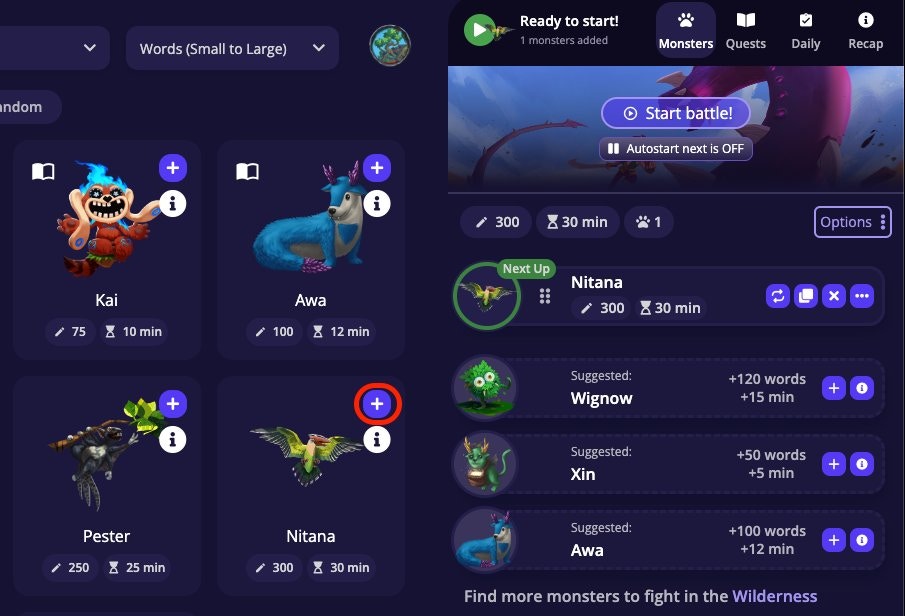
- Drag the grip icon on any row to reorder your list. Use the Options button to sort by size or time.

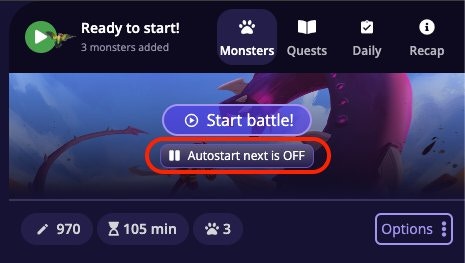
- On: battles chain one after another as you write.
- Off: you click Start manually for each battle. A way to pause the next battle and take a break.
If you lose a battle, Auto-Start Next turns off automatically so you don’t burn through your entire list while you’re away.
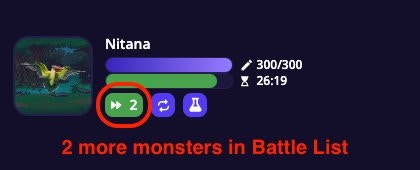
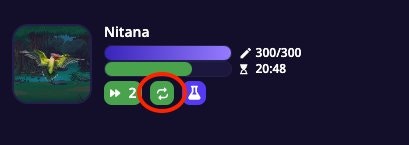
Loop overrides your Battle List order, as long as Loop is on, you’ll keep fighting the same monster regardless of what else is queued.
Frequently Asked Questions
You can't start a battle and see a 'Quota Exceeded' message.
You can't start a battle and see a 'Quota Exceeded' message.
You’ve hit your daily battle limit. This limit resets each day. Upgrading your subscription plan increases how many battles you can run per day.
What's the difference between Auto-Start Next and Loop?
What's the difference between Auto-Start Next and Loop?
Auto-Start Next plays through your Battle List in order. When you beat one monster, the next in the queue starts. Loop repeats the same monster indefinitely, ignoring everything else in the list. Turn Loop off when you’re ready to move on.
I removed a monster from my Battle List: where did my items go?
I removed a monster from my Battle List: where did my items go?
If the monster required items from your inventory to add, those items are returned when you remove the monster before battling it. Check your inventory. They should be back.
Solo Battles
How solo battles work. Damage, timers, Attack stat, and rewards.
Monsters
Browse and filter 800+ monsters to fill your queue.
Writing Streaks
Battles you win count toward your daily streak.