

Where to find it: Left sidebar → Multiplayer → Lobby Rooms tab Open in 4TW ↗
How Co-Op Differs from Solo
If you’re coming from solo battles, here’s what changes:If you have a solo battle running it’ll automatically be paused if you join a co-op room. After the co-op ends, unfreeze it and pick up right where you left off.
The Co-Op Lobby
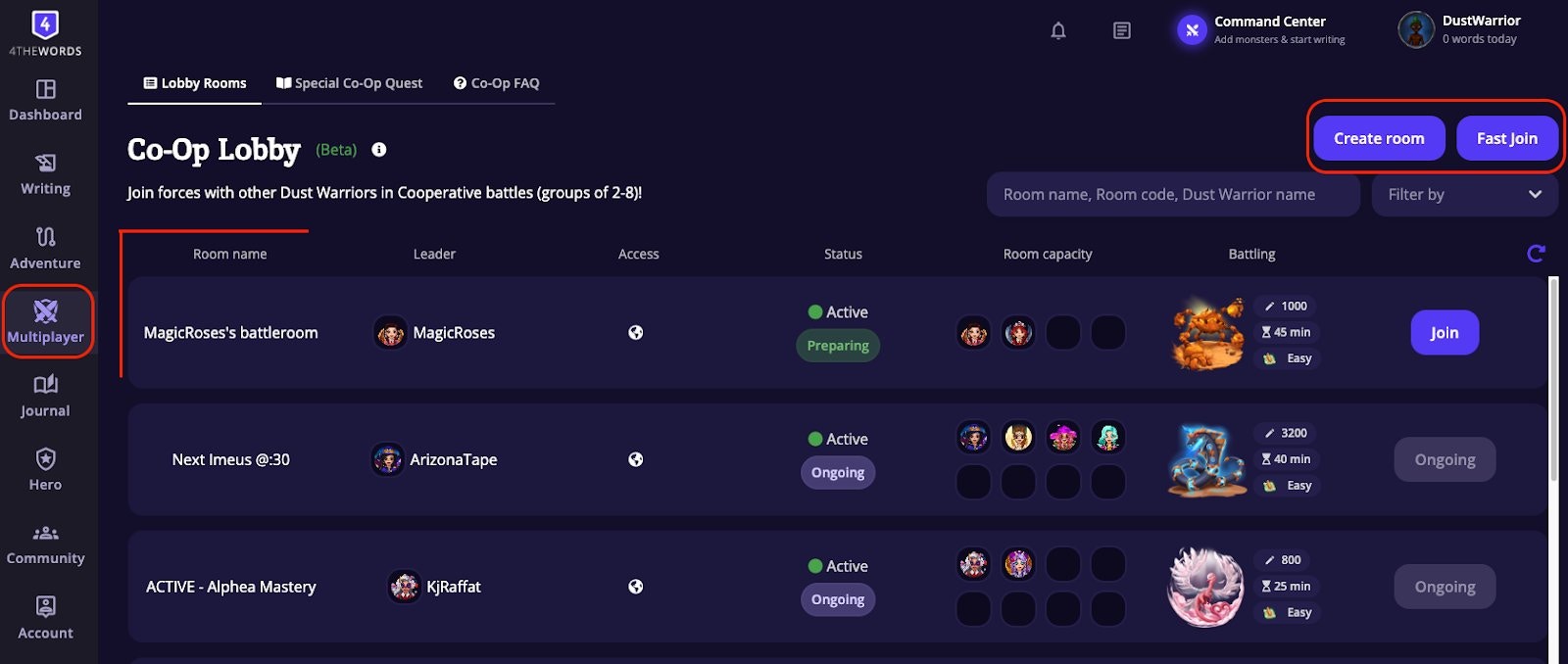
- Fast Join: drops you into the most recently created public room that still has space. Quickest way in.
- Browse the lobby: find a specific room by name, room code, or the leader’s username.
- Create Room: choose your own monster and settings, set it to Public so others can join, or invite friends with a room code.
Joining or Creating a Room
Room setup (for leaders)
When you create a room, you pick the monster (via Choose Monster) and pick the settings. The room panel shows Party info (difficulty, copy/paste rules, room size, visibility), the room code for sharing, and an Edit room button to adjust settings before the battle starts.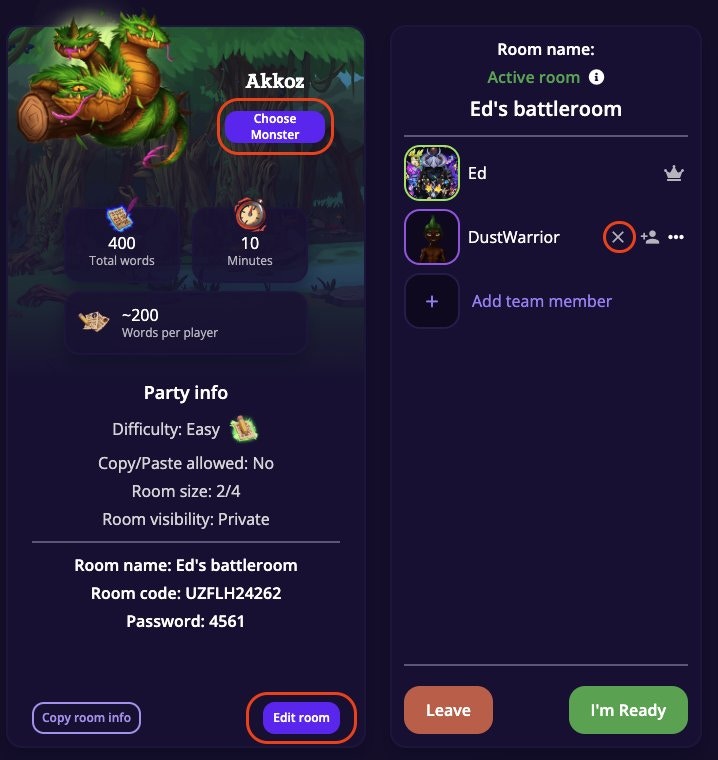
Room codes & visibility
Every battle room has a unique room code (e.g.SMQGP05641). Share this code with friends so they can join directly.
- Public rooms are open to all.
- Private rooms are only accessible by room code. Use these when you want to control who’s in the battle.
Co-op rooms go inactive after 60 minutes with no activity (messages, ready status changes, or player joins) and are deleted after 24 hours.
Difficulty levels
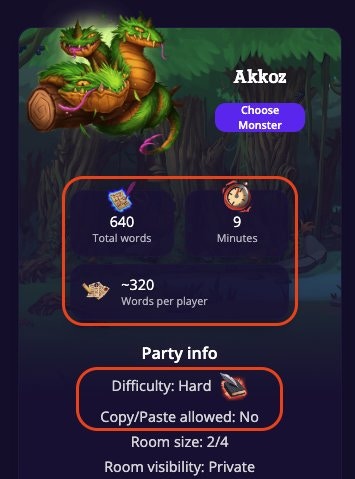
Co-Op monsters grow in size to match the number of teammates you bring to battle. A co-op monster’s word count will be multiplied by the number of teammates (a 500 word monster is 1,000 words for a team of 2 and 2,500 words for a team of 5). The challenge grows with the team, but so does the shared effort as one team member can write more to help a struggling team mate.
The monsters time limit will remain the same (against a 30 minute monster you’ll have 30 minutes regardless of the number of teammates).
Getting ready
Each player clicks I’m Ready when they’re set to go. The battle doesn’t start until everyone is ready. The leader can wait or remove someone who’s taking too long.During the Battle
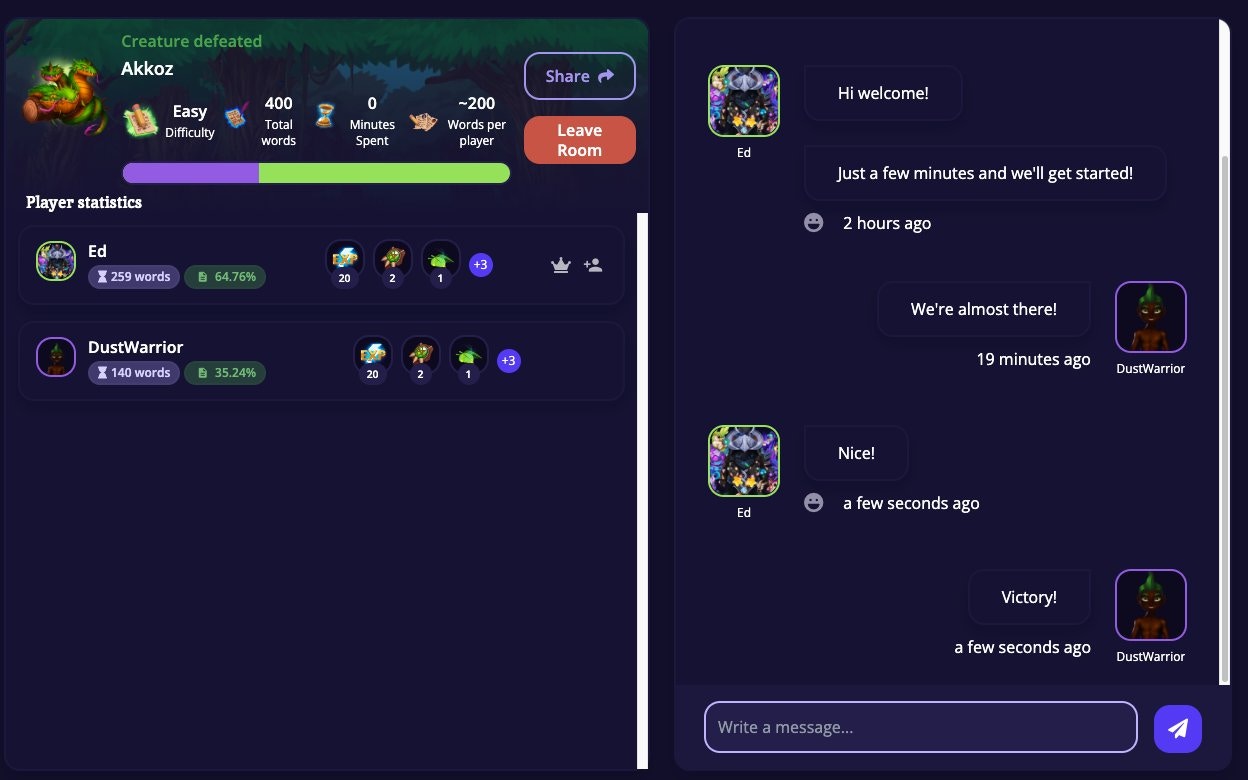
Once every player clicks Ready, the battle starts automatically and your timer begins. Open any document and write. Your words go toward damaging the shared monster. You can see everyone’s individual word count in real time.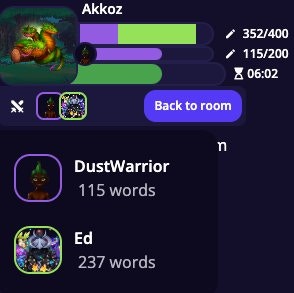
Rewards & Mastery
Everyone gets their own individual reward roll based on their Luck stat, not based on how many words they wrote. Co-op battles count fully toward Monster Mastery just like solo battles do.Special Co-Op Quests
For dedicated co-op monsters and challenges, check the Special Co-Op Quest tab in Multiplayer. These quests feature challenges designed specifically for team play and often have unique rewards.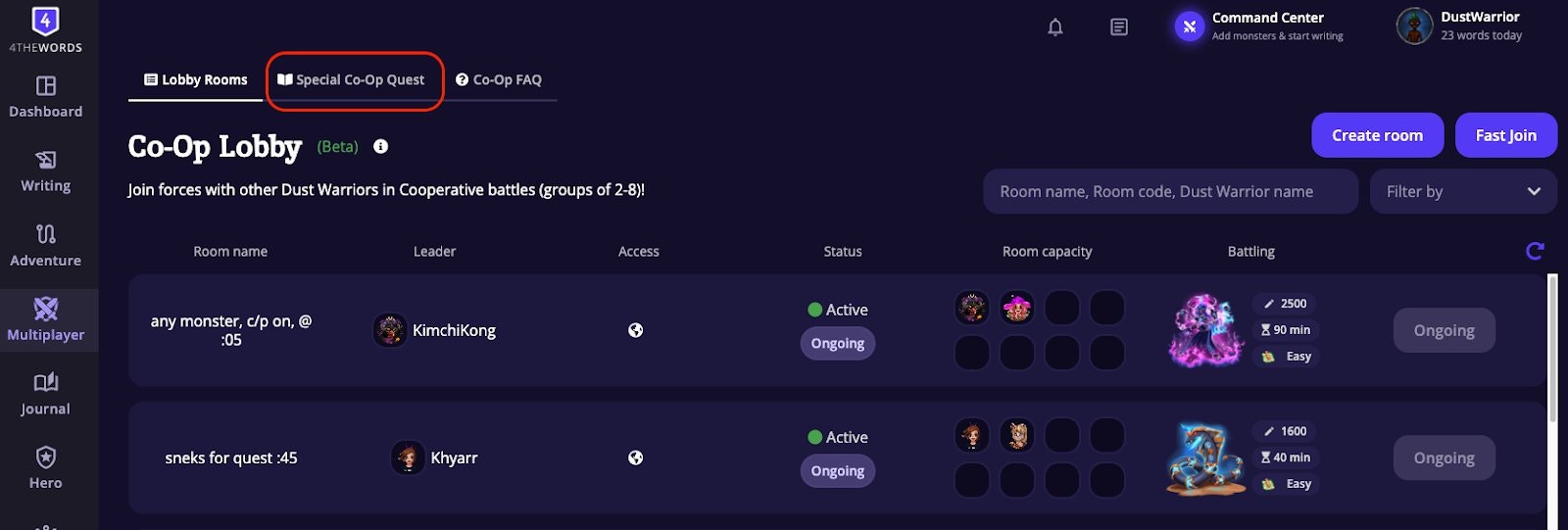
Frequently Asked Questions
Can I use potions in a co-op battle?
Can I use potions in a co-op battle?
No. Potions (Freeze, Slow Hex, Fire Grenade, etc.) are disabled in multiplayer battles. They only work in solo battles.
Can I be in a solo battle and a co-op battle at the same time?
Can I be in a solo battle and a co-op battle at the same time?
No, active solo battles will be frozen while you’re in co-op. Once the co-op battle ends, you can unfreeze your solo battle and continue with your previous progress intact.
What happens if the room leader leaves during a co-op battle?
What happens if the room leader leaves during a co-op battle?
Leadership transfers automatically to one of the remaining players. The battle continues without interruption.
What if not everyone in the room is ready to start?
What if not everyone in the room is ready to start?
The battle won’t start until all players click Ready. If someone is taking a while, the leader can wait or remove them from the room.
Can I join a co-op battle that's already in progress?
Can I join a co-op battle that's already in progress?
No, once a battle has started, new players can’t join. You can wait in the lobby for the next one, or create your own room.
Can I leave a co-op battle and rejoin later?
Can I leave a co-op battle and rejoin later?
Once you leave a co-op battle, you may not be able to rejoin. Treat co-op sessions as a live commitment. Make sure you can stay for the full battle before clicking Ready.
Does it matter how many words I write compared to my teammates?
Does it matter how many words I write compared to my teammates?
Your damage contribution shows up on screen, but it doesn’t affect your rewards. Everyone receives the same reward payout, determined by the battle’s difficulty level, not by individual word counts.
I can't join any rooms in the lobby.
I can't join any rooms in the lobby.
Some account tiers have a limit on how many battles you fight per day. Check your account limits on the Account → Subscription page.
My teammate can't find the room.
My teammate can't find the room.
Make sure you’ve shared the exact room code (visible in the battle room header). If the room is private, they’ll need to enter the code manually.
Solo Battles
Prefer to go it alone? Solo battles let you fight at your own pace.
Friends & Chat
Find co-op partners, send messages, and coordinate your next team battle.
Community & Forum
Meet other Dust Warriors looking for writing sprints and co-op rooms.