

Where to find it: Left sidebar → Adventure → Monsters tab Open in 4TW ↗
1
Pick a monster to fight
You’ll find monsters waiting for you in your adventure areas and quest objectives. Each monster has a word goal, that’s how many words you need to write to defeat it, and a time limit to write them in.
2
Open a document and start writing
Any document counts. You don’t have to write in a special battle screen, just open your editor and go. Your words deal damage during the battle.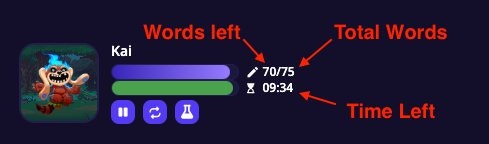
What counts as a word: Any string of characters preceded and followed by a space. Punctuation attached to a word counts as part of it.
3
Your Attack stat boosts your damage
Your hero’s Attack stat acts like a multiplier. If your Attack is at 50, every 100 words you write counts as ~150 damage. Build up your Attack stat to hit harder with the same amount of writing!
4
Defeat the monster before time runs out
When the monster’s health reaches zero, you win. If time runs out before that happens, you lose the battle, but you keep all the words you wrote.
5
Collect your rewards
Win a battle and you’ll earn items, Coins, and other rewards based on the monster you defeated.
Finding Monsters
Two ways to browse and add monsters:Adventure → Monsters tab
Where to find it: Left sidebar → Adventure → Monsters tab Open in 4TW ↗The full monster browser. Shows every monster available to you with filters for size, type, area, favorites, and quest objectives. Best for browsing or when you know what you’re looking for.
Complete Quests to gain access to more monsters & advanced areas. There are over 800 monsters to discover and push your writing to new heights.
Command Center → Monsters tab
Where to find it: Navigation bar at the top of any page → Command Center icon → Monsters tab
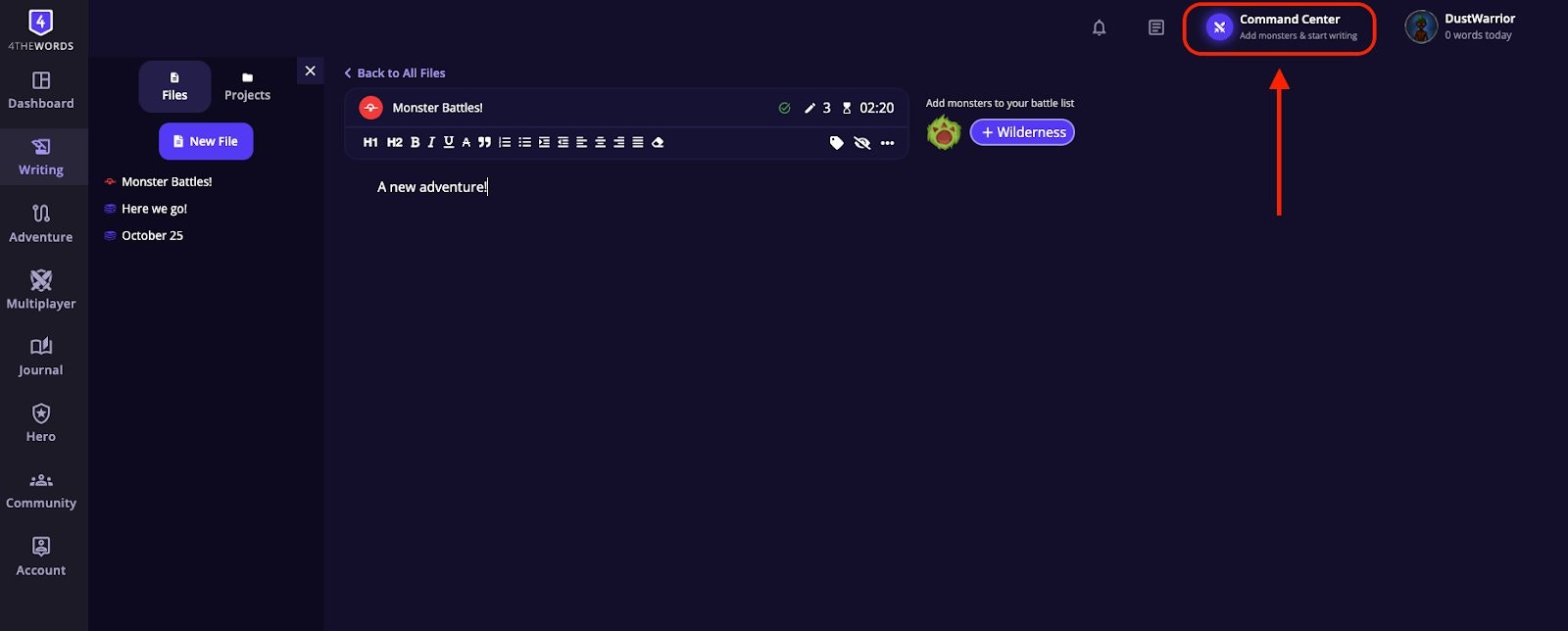
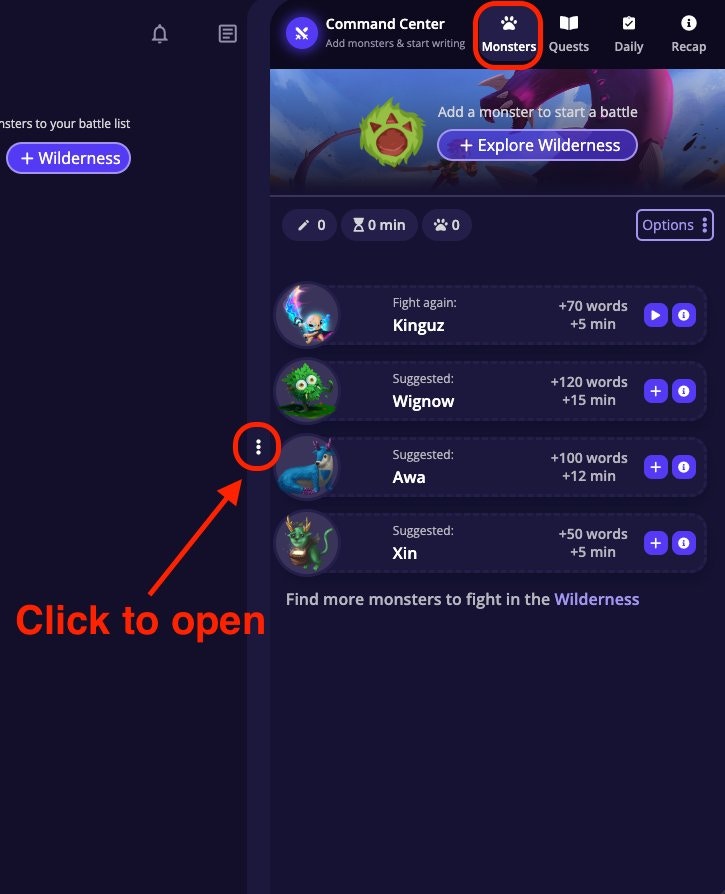
Click on the ”+” on any monster in the Command Center to add it directly to your Battle List.
Monster Drops
Every monster has a unique set of items it can drop when you defeat it. Drops are added automatically to your inventory at the end of the battle.- Not every item drops every time. Items have rarity levels. Some drop reliably, others rarely. Your Luck stat directly improves your drop chances: the higher your Luck, the more likely rare items are to appear.
- Some drops come in quantities. When a drop has a range (e.g. 1–5), you’ll receive a number within that range.
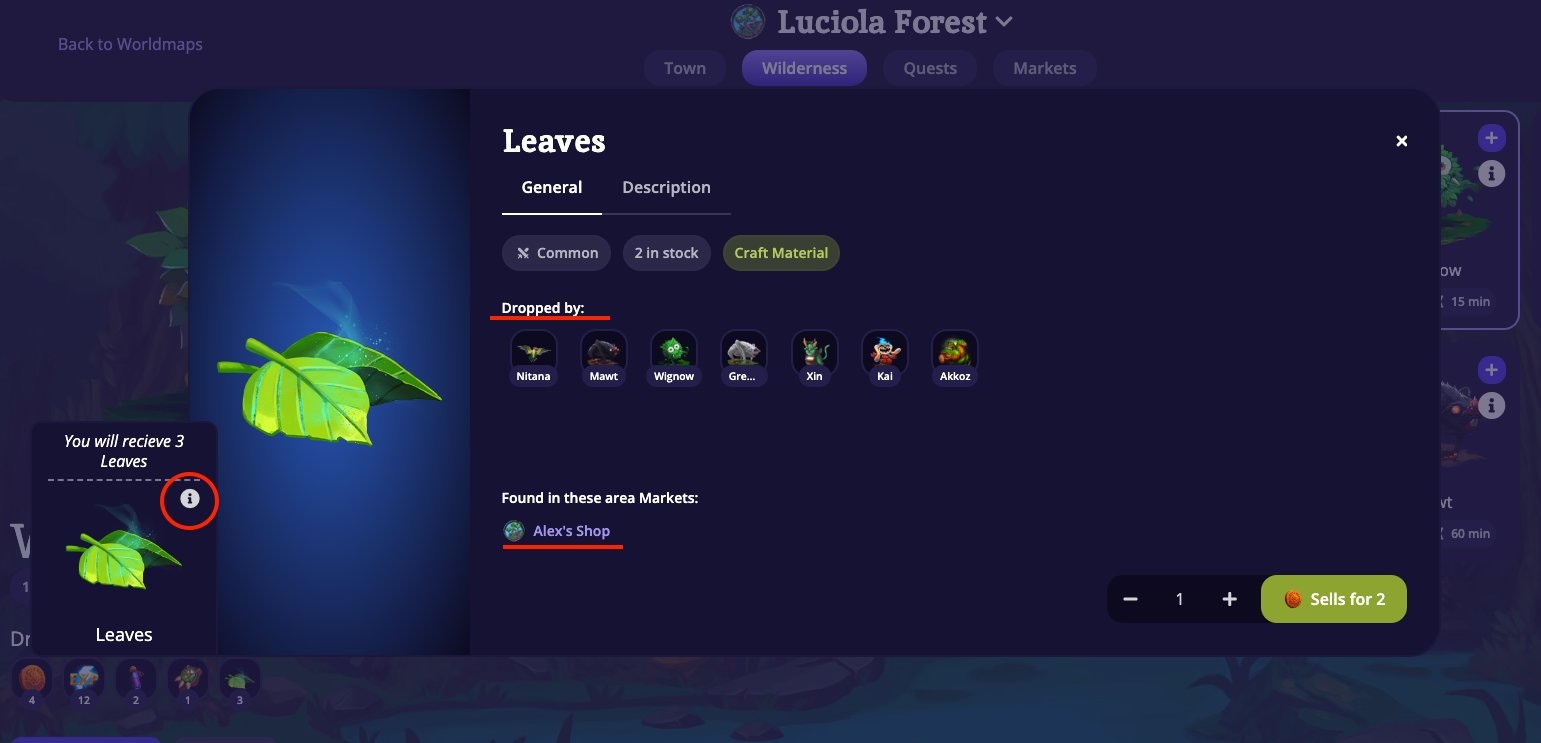
- Finding which monsters drop an item: Hover over any item image in the game to bring up its info window. The info window shows which monsters drop it and which markets sell it.
Frequently Asked Questions
Do I have to write in a specific place to deal damage?
Do I have to write in a specific place to deal damage?
No, write in any document in your writing area. Words you type during an active battle automatically count toward it. You don’t need to do anything special and can switch between documents.
The battle ended before I finished writing.
The battle ended before I finished writing.
The timer ran out. You keep all the words you wrote and can try again with a boosted Attack stat or a smaller monster.
My words aren't counting toward my battle.
My words aren't counting toward my battle.
Make sure the battle is actually active (not frozen or on hold). If you entered a co-op room, your solo battles pause automatically. Check your battle status after returning from co-op.
Do I have to write about the monsters or follow a prompt?
Do I have to write about the monsters or follow a prompt?
No. Write whatever you want. Your word count is what deals damage, not the topic.
Can I Pause an active battle?
Can I Pause an active battle?
Only with a Freeze Potion. Once a monster battle begins it can’t be stopped unless you Freeze that battle with a Potion.
Endurance Battles
Try a different kind of fight. Survive the monster’s attacks instead of dealing damage.
Battle List
Queue up monsters, chain battles, and build your perfect writing session.
Monsters
Browse 800+ monsters and find the right challenge for your next session.