

Where to find it: 4thewords icon → Settings → My sites
How word counting works
The app counts words as you type them in any app on your list. Your words deal damage, feed your streak, and count toward daily challenges, the same as writing in the 4thewords editor.- Apps count as a whole. Everything you type in an app on your list counts.
- Browsers count site by site. Add
docs.google.comand your Google Docs count, while the rest of your browsing doesn’t. - Passwords never count. Password managers and your computer’s password prompts are skipped, whatever your list says.
- Terminals never count. Command-line windows are skipped too.
- The 4thewords website never counts here. The 4thewords editor already counts those words, so counting them again would double them.
Your first choice
The first time you open the app, it asks What should count?- Just my writing apps (recommended): Scrivener, Word, Obsidian, Pages (Mac), and similar writing apps.
- Writing apps + the web: Adds Google Docs and other online editors.
See what the app is looking at
Under Words Today, the app tells you what it sees right now.- Counting Scrivener. Your words count.
- Not counting TextEdit. Your words don’t count. Click Count TextEdit to add it.
- In a browser. The line names the site instead, for example “Not counting docs.google.com”.
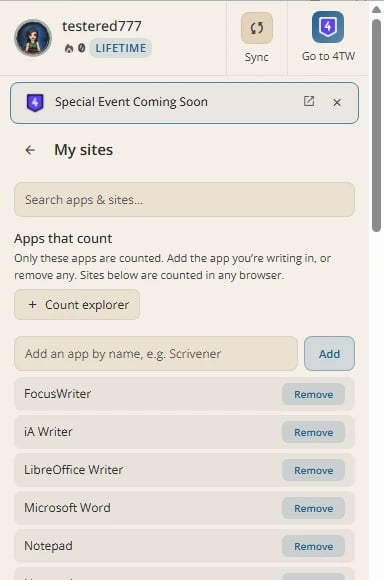
Choosing what counts (My sites)
1
Open My sites
Click the 4thewords icon, open Settings, and click My sites.
2
Add an app
Type its name under Apps that count, for example
Scrivener, and click Add. Or click Count on the line under Words Today while you’re in the app.3
Add a site
Type a domain under Sites that count, for example
notion.so, and click Add. Add common writing sites adds a starter list in one click.4
Remove something
Remove an app or site from its list. New words there stop counting immediately.
Which browsers can the app read?
The app reads the site in your active tab so it can count site by site.- Mac: Safari, Firefox, and Chrome-based browsers.
- Windows: Chrome, Edge, Brave, Firefox, and Vivaldi.
- Linux: Chrome-based browsers and Firefox.
On a Mac, reading Firefox’s site turns on its accessibility support until you quit Firefox. On Linux, reading a site turns on accessibility support in Chrome-based browsers while the browser runs. It uses a little more memory and changes nothing else.
Pasted words
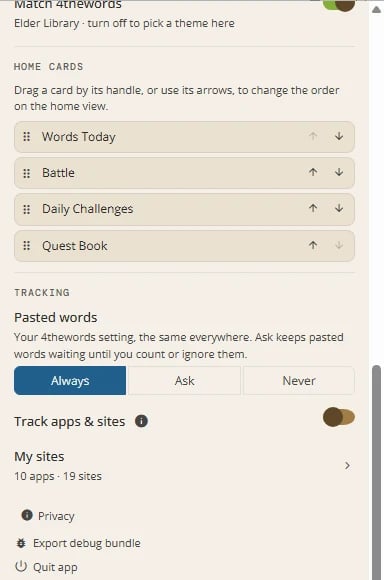
Pasted words follow your 4thewords setting: Always, Ask, or Never. Change it from the icon beside Words Today or in Settings. It’s the same setting everywhere you write.- Always. Pasted words count as soon as you paste.
- Ask. Pasted words wait until you count or ignore them. Ask needs a 4thewords account: without one, the app offers Always and Never only.
- Never. Pasted words stay in your file but never count.
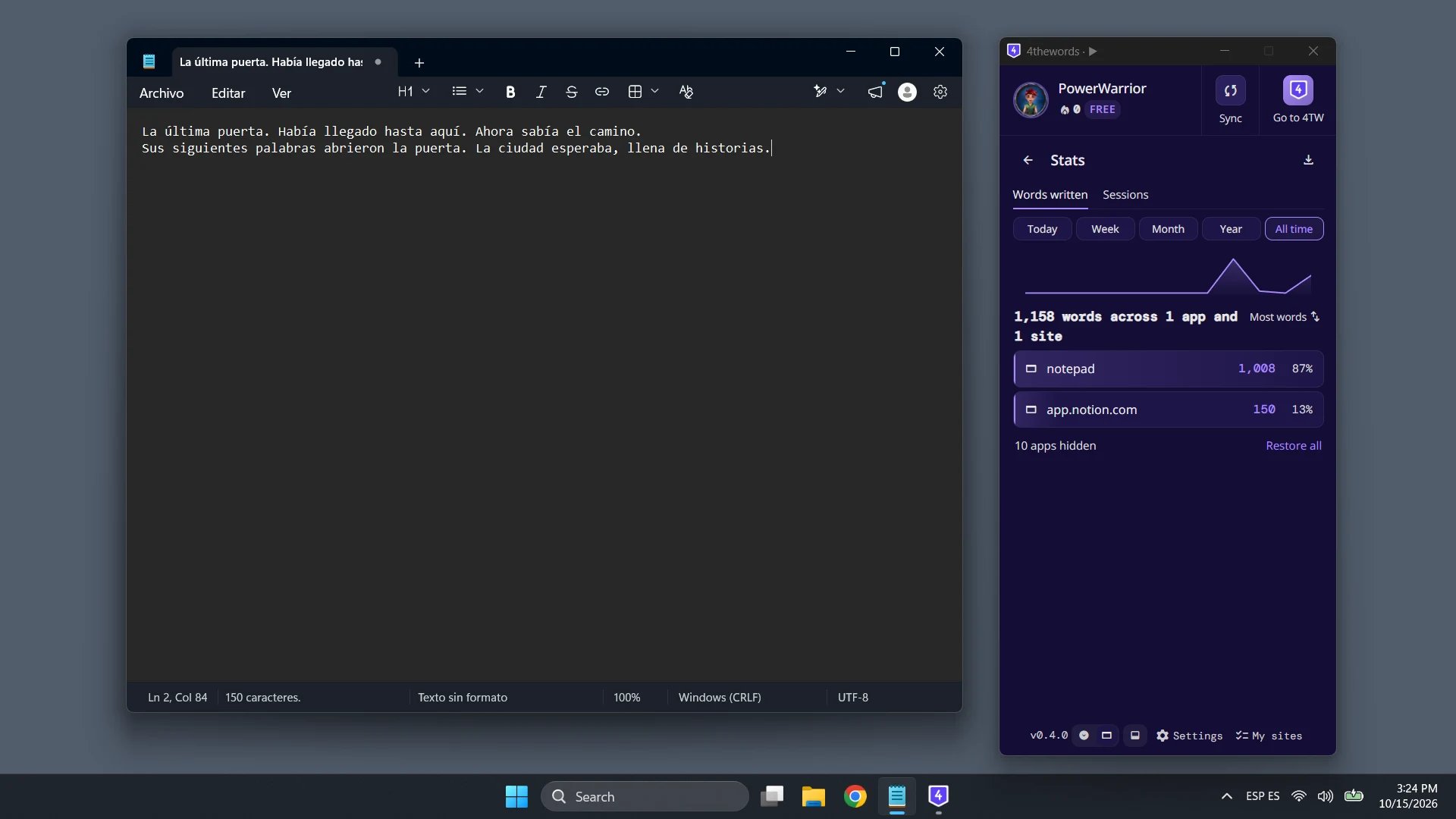
Words by app and session stats
Where to find it: the chart icon beside Words Today
Stats shows where your words went. Two tabs sit at the top:
- Words written. Your totals, with each app or site’s share of the whole. Filter by Today, Week, Month, Year, or All time, and sort by most words or most recent.
- Sessions. Your writing sessions: time spent actively writing, your pace, and words typed versus pasted versus deleted.

Export your writing history
Stats can export your history as a file. Pick Last 30 days, Last 90 days, or All time, or click More options to set the details:- Range: 30 days, 90 days, 1 year, all time, since your last export, or custom dates.
- One row per: day, or day and site.
- Columns: the basics, everything, or sites.
- File: CSV or JSON. For CSV, choose a comma, semicolon, or tab. A semicolon opens correctly in Excel on many European computers.
Using the app with the Chrome Extension
Keep the Chrome Extension if you use it. When both are running, the extension steps aside in any browser the desktop app is counting, so no word counts twice.Frequently Asked Questions
Why doesn't my new writing app count?
Why doesn't my new writing app count?
The app counts only apps on your list. Click Count under Words Today while you’re in the app, or add it in My sites.
Why is my count a little higher than my document's word count?
Why is my count a little higher than my document's word count?
The app counts words as you type them and never subtracts a deletion. A word you type, delete, and type again counts twice. Editing as you go makes the count run a little above your document’s own counter.
Why is Words Today higher than what I wrote here?
Why is Words Today higher than what I wrote here?
Words Today shows your account’s total for the day. That includes words written in the 4thewords editor, the Chrome Extension, and on your other computers.
Does it count Chinese, Japanese, or Korean writing?
Does it count Chinese, Japanese, or Korean writing?
It does, but the count runs low. With an input method, your keystrokes are the romanised letters rather than the characters. The app tells you while an input method is active. We chose to count low rather than read your text.
Does the app read what I write?
Does the app read what I write?
No. It turns keystrokes into numbers on your computer and never stores or sends your text. When you paste, it reads the pasted text once to count it, then discards it.
What's the difference between not adding a site and adding it to Not counted?
What's the difference between not adding a site and adding it to Not counted?
Neither counts words. Adding a site to Not counted also silences its “Count this site?” prompt.
Battles, Streaks & Quests
See how your words flow into your active battle, streak, and Questbook.
Permissions & Privacy
What the app can see, and what it never stores or sends.