

Where to find it: 4thewords icon → the window, or Open App on the Mini bar
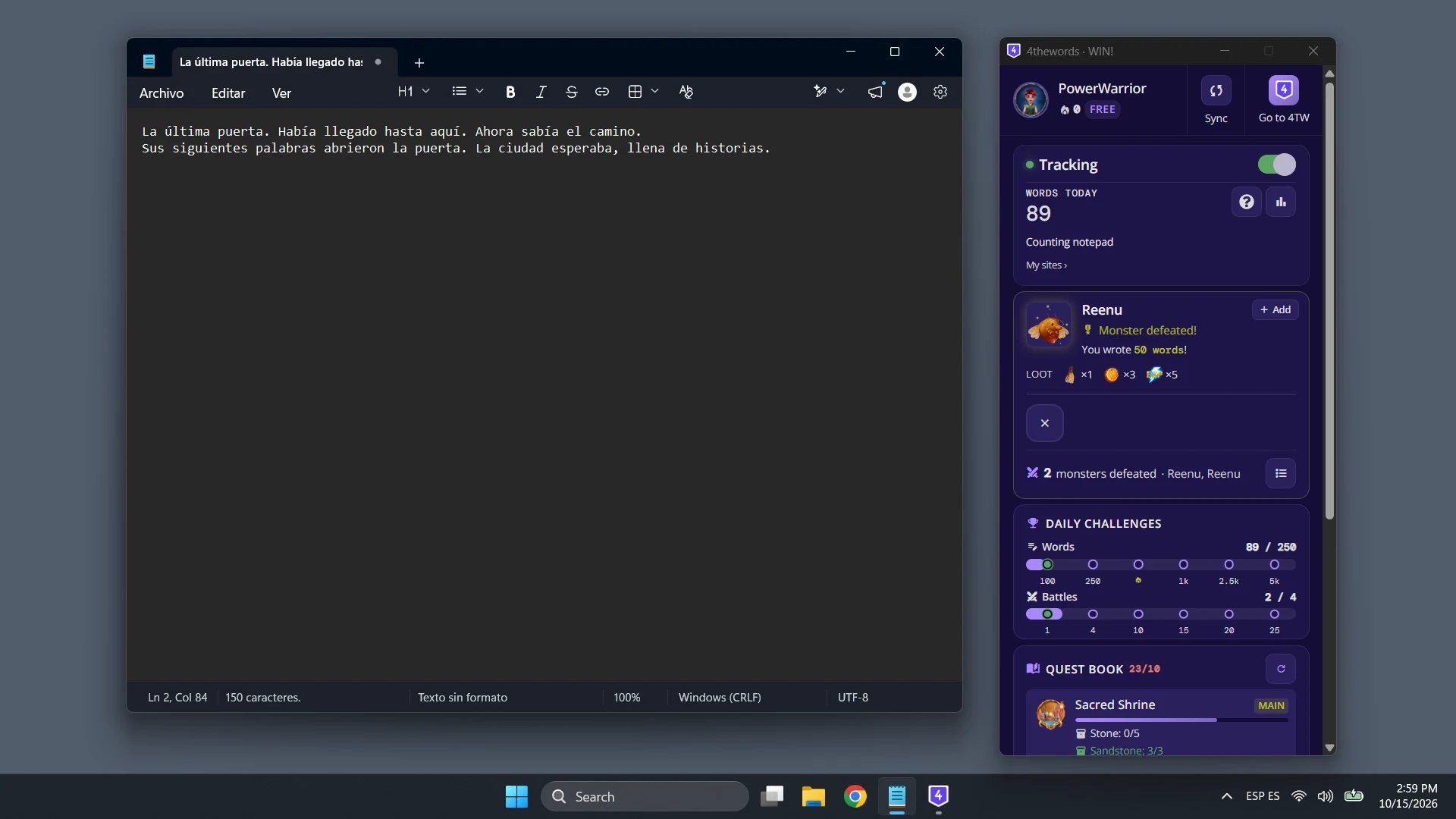
Battle damage
Pick a monster, open your writing app, and write. The monster’s health drops with your words, and the timer counts down. Win and the app shows Monster defeated! with your loot.- Words left. How many more words the monster needs.
- A win shows within a few seconds. Lose to the timer and the app says The monster got away.
- Your words keep counting toward your streak, daily challenges, and stats either way.
A few special battle types aren’t supported in the desktop app. If you start one on the website, your words still sync and count toward your streak and goals.
Co-op battles
Your words fight in Co-op battles too. Create or join a room on 4thewords, then write in any app on your list: the app sends your words to the room’s monster.- Waiting for the team. Before the fight, the card lists everyone in the room and who is ready. Click I’m Ready when you are, or Not Ready to step back. When everyone is ready it says Starting….
- The fight. The card shows the monster, the time left, and the words so far out of the total. The bar splits by writer, each in their own color. Hover a color to see that writer’s words.
- The end. The card says Defeated! with the words your team wrote together, or Time’s Up if the timer ran out.
- Return to Room. Opens the room on 4thewords, where the chat, the roster, and room settings live.
Battle controls
Controls sit in the battle card.- Start Battle. Choose a monster to begin.
- Flee. Leave the battle. You lose your progress on that monster, and the words you wrote still count for your stats.
- Loop. Repeat the monster each time you win.
- Potion. Opens 4thewords, where you use potions. Potions are used on the site, not inside the app.
Battle queue
Line up monsters and write straight through them.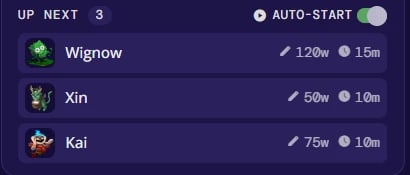
- Up next. Monsters you’ve queued, in order.
- Add monsters. Add more to the queue. Search, or filter by Quests, Favorites, words, time, or most recent, then click the + beside a monster.
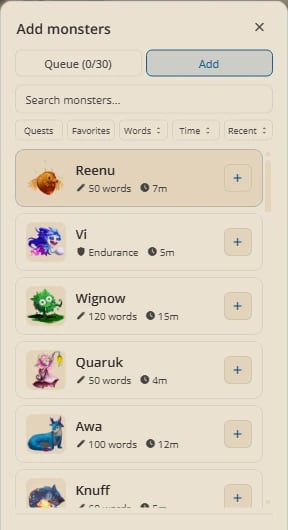
- Auto-start. Start the next battle when one ends. If the queue pauses, turn Auto-start back on to keep it running.
Streaks
Your streak counts the days in a row you write 444 words or more. Words from any app on your list count toward it, so writing in Scrivener keeps it alive the same as writing in the editor. The flame on the Mini bar and the streak card show your current streak. When you reach the day’s goal, the app shows Streak Secured! and your next reward.Without an account the app counts your words on your computer, but streak rewards need a 4thewords account. Create one to unlock them.
Daily challenges
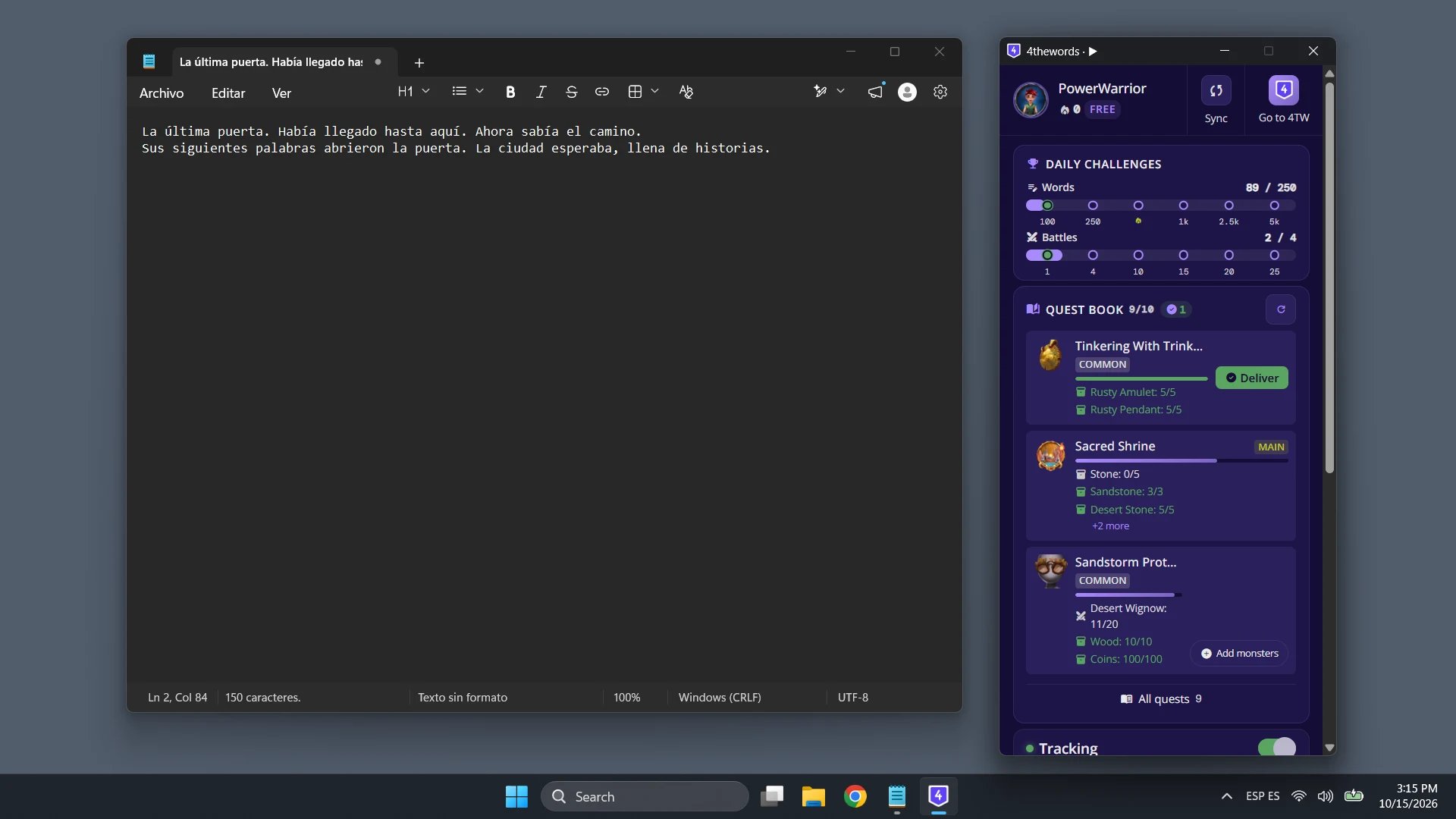
Daily challenges track two things: Words written and Battles won today. Each has reward steps along a bar, and your progress updates as you write. See Daily Challenges for the rewards.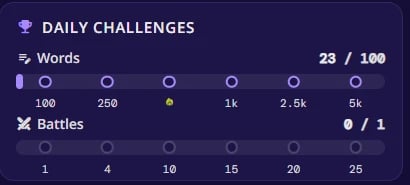
Questbook
The Questbook section lists your active quests and how many you can hold. Badges flag quests that are Ready to deliver and quests that are Expiring soon.- Deliver. Hand in a finished quest from the app.
- Refresh quests. Update the list if it looks out of date.
Notifications
Where to find it: 4thewords icon → Settings → NotificationsThe app can alert you when you win a battle, secure your streak, or when your session needs attention. Your computer asks the first time. If you said no, turn them back on in your system’s notification settings: Settings → Open notification settings takes you there.
Frequently Asked Questions
How quickly does a battle update?
How quickly does a battle update?
As you type, the monster’s health drops with your words. When you win, the app shows it within a few seconds.
Do desktop words count the same as writing in 4thewords?
Do desktop words count the same as writing in 4thewords?
Yes. They hit your monster, feed your streak, and count toward daily challenges and quests the same way.
Words today looks higher than what I wrote in the app.
Words today looks higher than what I wrote in the app.
Words Today shows your account’s total for the day, including the 4thewords editor, the Chrome Extension, and your other computers.
Can I pause counting?
Can I pause counting?
Yes. Click the pause button on the Mini bar, or switch Tracking off in the window. Words you write while paused don’t count, so switch it back on before you write.
My battle didn't update after I wrote.
My battle didn't update after I wrote.
Check the line under Words Today. If it says “Not counting”, click Count to add the app. Also check that your sync is on in Settings: with Sync to 4thewords off, words stay on your computer.
Can I fight monsters without an account?
Can I fight monsters without an account?
The app counts your words without an account, and you can sign in any time. Battles, quests, and your streak live on your 4thewords account.
Writing Battles
Battle types, monsters, and rewards.
Writing Streaks
Keep your streak alive and earn Wings and Medals.
Daily Challenges
Daily reward tracks for words written and battles fought.